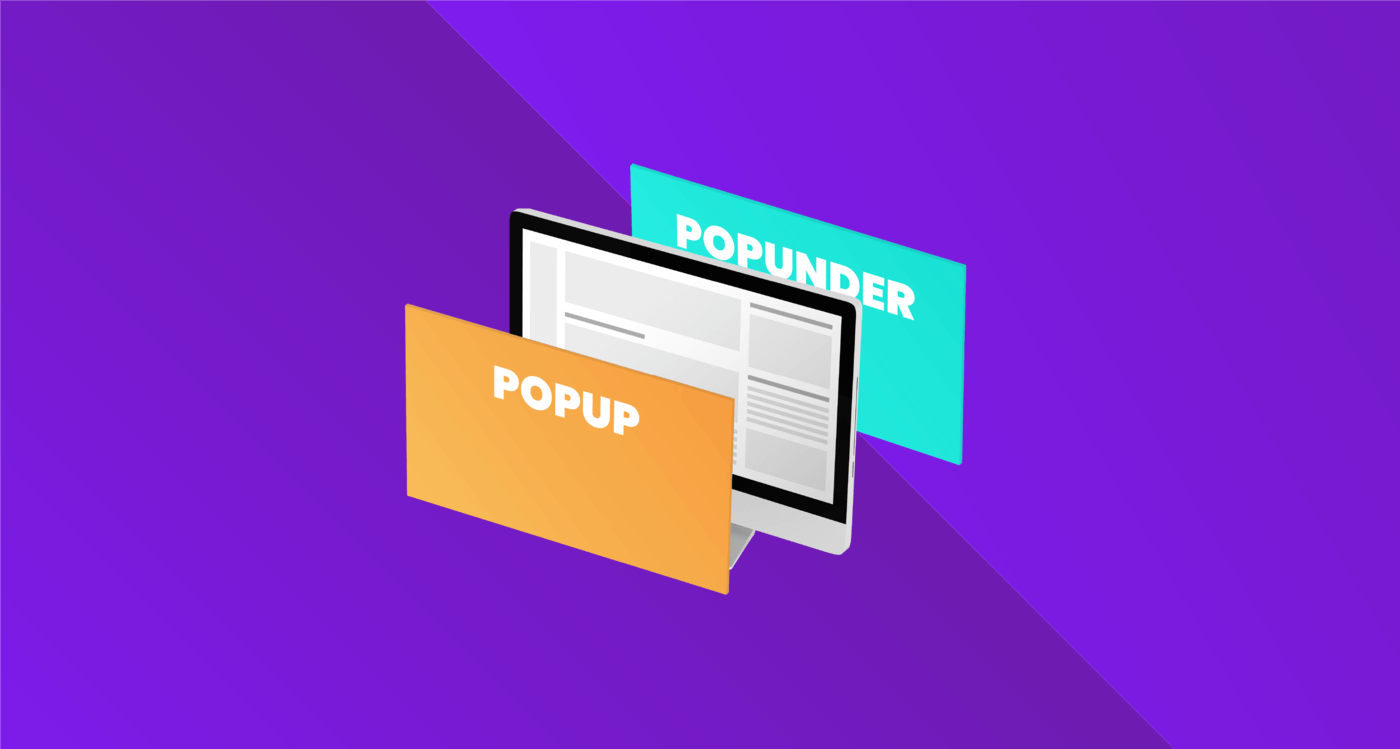
Every year since around 2015, the AdTech industry has regularly hosted lavish funerals for the Popunder format (also known as On-Click traffic). Year after year, self-proclaimed market experts declare that “the era of aggressive marketing has come to an end.” They argue that new Google Chrome updates, the implementation of Manifest V3, stricter iOS Safari policies, and the massive adoption of mobile ad blockers (AdBlock, AdGuard, Brave, Opera’s built-in blocker) should have driven the final nail into the popunder coffin.
Yet, here we are in 2026, and Popunder is alive and kicking. What’s more, it remains one of the most financially accessible, scalable, and predictable lead sources in “evergreen” verticals like utilities (VPNs, cleaners), iGaming (gambling/betting), dating, and sweepstakes.
   [2026 Users] ──► [Mobile Browser with AdBlock]
                                   │
       ┌───────────────────────────┴───────────────────────────┐
       ▼ (Legacy Scripts)                                      ▼ (Modern Popunder)
 100% Traffic Blocked                             Bypasses Filtering Systems (95%+)
 eCPM ──► $0.00                                   eCPM ──► $12.00 - $18.00
How is this possible? It’s simple: the evolution of blocking systems always lags half a step behind the engineering minds of AdTech developers. While blockers improve their static filters, cutting-edge ad platforms completely rewrite the rules of the game at the page rendering and network protocol architecture levels.
In this ultimate guide, we will break down the technical underpinnings of how mobile Popunder survives under iOS and Android in 2026, and how webmasters and media buyers can squeeze the maximum eCPM out of it under a tight siege.
Part 1. Mobile Defense in 2026: What is Popunder Fighting Against?
To effectively bypass protection, one must clearly understand exactly how mobile operating systems and browsers attempt to block new windows from opening. In 2026, traffic filtering operates on three independent echelons.
1. DNS Filtering and Host-Level Blocking
Tools like AdGuard DNS, NextDNS, or built-in private DNS features in Android intercept network requests at the system level. If an ad initialization script or a redirect domain tries to connect to a server listed in databases like EasyList, the request is blocked before the browser can send a single byte.
2. Declarative Net Request Restrictions in Manifest V3
With the transition to Manifest V3, Chromium-based browser blockers lost the ability to dynamically analyze and modify every network request via heavy JS scenarios. Instead, they pass pre-configured rule lists (regex) to the browser, and the browser handles the blocking itself. While this boosted browser performance and placed strict limitations on the flexibility of classic AdBlock extensions, it forced ad networks to look for solutions outside the visibility of declarative rules.
3. “Clean Click” Heuristic Algorithms (User Activation API)
Modern versions of Safari (iOS) and Chrome (Android) block calls to the window.open() method unless they are tied to a direct, conscious user action (known as Transient User Activation). The browser analyzes the “cleanliness” of the click: if a script attempts to open a pop-up via a timer, on scroll, or by simulating a click through a virtual event (synthetic click), the security system instantly blocks the window with a “Pop-up blocked” notification.
Part 2. Breakthrough Technologies: How Popunder Bypasses AdBlock on Mobile
To breach this three-echelon defense, modern ad networks employ complex engineering solutions combining code obfuscation, protocol swapping, and browser behavior manipulation.
A. Tab Life-Cycle Management Technology (Tab Rotation)
Instead of trying to open a new window on top of the current one (which is instantly blocked by browser heuristics as a pop-up), advanced scripts use an elegant tab swap.
- The user performs a natural action on the site (e.g., taps a “Play Video” button or a “Download File” link).
- The script intercepts this legitimate event and instantly redirects the current active tab that the user is looking at to the ad offer landing page (e.g., a casino lander or a VPN subscription form). The browser views this as a standard link navigation and does not block it.
- Simultaneously, the script opens a new tab in the background and loads the original content the user was initially looking for.
- As a result, the user gets what they wanted, but in a new tab, while the ad opens in the original tab. The heuristic blockers of Chrome and Safari are powerless against this logic because technically no unauthorized pop-up opened “on top” of the screen.
[User Click] ──► [Active Tab Redirects to Offer]
                         │
                         └──► [Background Tab Opens Original Content]
B. WebSockets (WSS) Instead of HTTP Requests
Classic blockers scan a browser’s outgoing HTTP/HTTPS requests for ad patterns. To bypass this control, modern popunder delivery scripts utilize the WebSockets (WSS) protocol.
- The script on the page opens a persistent, two-way encrypted connection with the ad network server via sockets (
wss://my-analytics-node.com). - Data specifying which exact offer to display to the user is passed inside a binary WebSocket frame. The blocker only sees a continuous stream of encrypted data within a single system connection and cannot decipher that an ad link is hidden inside that stream.
- The script receives the binary packet, decrypts it directly in the device’s RAM (in-memory decryption) using a polymorphic key, and executes the navigation.
C. Next-Gen CNAME Cloaking
To neutralize blocking at the DNS level, deep integration on the webmaster’s side is applied. The ad network does not give the webmaster a direct link to its servers. Instead, the webmaster sets up a CNAME record in the DNS of their own website.
For example, the website kino-portal.com configures the following record:
static.kino-portal.com ──► cname.adnetwork-node.net
For any blocker, a request to [static.kino-portal.com/tracker.js](https://static.kino-portal.com/tracker.js) looks like an internal technical request from the site to its own database or analytics system. Blocking this request would break the website’s functionality, so the filters ignore it.
D. Polymorphic JS Code Obfuscation
If an ad script’s code remains static, antivirus and AdBlock systems quickly add its signature to their databases. To prevent this, the popunder initialization script code is recompiled from scratch for every unique user visit.
- Variable, function, and object names are randomly generated.
- The logical structure of the code changes constantly (garbage code is added, the execution order of operations shifts).
- Numerical and string constants are encrypted. Every download of the JS file yields a unique file hash, making signature analysis completely ineffective.
Part 3. Comparative Efficiency Analysis of AdBlock Bypass Technologies
To understand which technical stack yields the maximum eCPM, let’s look at a detailed comparison of current methods in 2026:
| Delivery Technology | DNS Block Bypass | Browser Filter Bypass (Chrome/Safari) | Impact on Core Web Vitals (INP/CLS) | Implementation Complexity for Webmasters | eCPM Stability |
| Standard JS Code (Legacy) | 10% – 15% | 5% – 10% | Critical (causes layout shifts) | Very low (copy-paste) | Extremely low (burns out fast) |
| CNAME Cloaking | 85% – 90% | 40% – 50% | Neutral | Medium (requires domain DNS setup) | Medium (blocked via click heuristics) |
| Tab Life-Cycle + WebSockets | 95% – 98% | 92% – 96% | Minimal (asynchronous loading) | High (requires smart JS module integration) | High (stable defense penetration) |
| Server-Side Integration (API/SSR) | 100% | 95% – 99% | Completely absent (server-side rendering) | Very high (requires backend programming) | Maximum (absolute traffic control) |
Part 4. How to Squeeze High eCPM out of Mobile Pops in 2026
Overcoming a blocker’s defense is only the first step. If your landing page loads slowly or annoys the user with meaningless content, they will close the tab faster than your tracker can log the visit. To sustain an eCPM of $12 – $18+ on mobile traffic, the entire funnel must be overhauled.
1. Critical Speed Optimization (Speed is God)
Mobile internet in regions with massive Popunder traffic volumes (Latin America, Southeast Asia, Africa) often leaves much to be desired. If your prelander weighs more than 120 KB, you are burning money.
- Ditch Heavy JS Libraries: No jQuery or heavy CSS frameworks on prelanders. Stick strictly to clean, optimized vanilla HTML/JS.
- Extreme Image Compression: Convert all images to WebP or AVIF formats, compressing quality down to 70-75%. Use vector graphics (SVG) wherever possible.
- Leverage Edge Technologies: Host your prelanders on serverless platforms like Cloudflare Workers. This ensures that a user in Ecuador or Nigeria receives content from a local CDN server within 50–100 milliseconds instead of waiting for a response from a server in Germany.
[User in Africa] ──(50ms Ping)──► [Cloudflare Edge Server] ──► [Instant Prelander Display]
2. Dynamic UI Adaptation by Device (For Utilities)
If you are running utility offers (cleaners, antiviruses, speed boosters), your prelander must perfectly mimic the user’s OS.
- The prelander script analyzes the
User-Agentstring. - It identifies not just the operating system (Android), but the specific device brand (e.g., Oppo, Tecno, Samsung, Xiaomi) and system version.
- The prelander dynamically loads UI elements unique to that brand’s skin (e.g., matching styles for Samsung’s OneUI or Xiaomi’s MIUI/HyperOS). This increases the user’s trust level 3-4 times over, scaling the download button CTR significantly.
3. Gamification and Instant Interaction (For iGaming)
The user shouldn’t just face a static casino banner. They need immediate action.
- Playable Ads: A mini-game is embedded directly on the prelander—for example, a “Spin” button on a virtual slot machine.
- The Winning Effect: The first click is a loss; the second click triggers a massive win (e.g., a voucher for 100 free spins and +200% on the first deposit).
- Urgency Timer: “Your bonus expires in 04:59.” This creates a fear of missing out (FOMO) and drives the user to quickly complete a simple registration form.
Part 5. Popunder Traffic Economics: How to Optimize Buying
Popunder is a format that operates on the CPM model (payment per 1,000 impressions). But in 2026, successful buyers optimize their campaigns by running them on Smart CPM rails and dynamic LTV analysis.
1. Test Your Frequency Capping
Do not try to show your pop-up to a single user 10 times an hour. This only leads to frustration, an increased bounce rate, and budget drainage. The optimal frequency for mobile traffic is:
- iGaming/Gambling: 1 impression per unique user every 24 hours (1/24).
- Utilities (Cleaners/VPNs): A 2/24 frequency is acceptable, but with an interval of at least 3 hours between impressions.
2. Bid Optimization via Smart CPM
Use auto-bidding based on ad network algorithms. Smart CPM allows you to automatically buy traffic at the second-price auction level + $0.01. This protects your budget from overpaying on placements where there is no fierce bidding competition for a specific GEO.
3. Strict Placement Hygiene (Black/White Lists)
Popunder traffic inherently carries a certain percentage of bot activity. In 2026, smart bots can emulate finger movements and clicks to fool standard ad network analytics systems.
How to detect a “smart” bot:
- Track time spent on the prelander. If a user clicks the “Download” button exactly 0.3 seconds after the page opens, it’s a bot. A real human needs at least 1.5–2 seconds to visually orient themselves.
- Monitor for the
deviceorientationevent (changes in the phone’s tilt angle). Bots on server emulators always report static zero values for the gyroscope. If the tilt angles of the device haven’t shifted by a single degree during the entire session, it’s 100% bot traffic. Add that placement (Zone ID) to your blacklist without hesitation.
Part 6. Practical Checklist for Launching a Bypass Popunder Campaign
Before scaling your Popunder traffic source and launching a profitable funnel, make sure you’ve completed the following steps:
- [ ] Select an ad network supporting WebSockets and CNAME cloaking. Ask your account manager: “Do you provide CNAME solutions for code integration?”
- [ ] Optimize the prelander to the absolute limit: The page weight does not exceed 150 KB, images are compressed to WebP, and animated elements are built on CSS/Canvas without heavy libraries.
- [ ] Set up S2S (Server-to-Server) tracking: Ensure you pass registration and install data directly from the affiliate network into your tracker (Keitaro/Voluum). No browser pixels allowed.
- [ ] Implement a dynamic User-Agent parser: The page automatically tailors its visuals and copy to the specific smartphone brand of the user.
- [ ] Configure bot traffic filtering: Rules are set up in the tracker to filter out transitions lacking gyroscope activity or displaying abnormally fast click times.
- [ ] Set an optimal Frequency Cap: At campaign launch, the impression cap is restricted to 1/24 per unique user.
Conclusion
Popunder traffic in 2026 is far from a dying relic of the past; it is a highly sophisticated AdTech tool. It has survived, evolved, and become much more intricate. Embracing Tab Life-Cycle Management, WebSocket obfuscation, and custom CNAME cloaking allows media buyers to successfully pierce through any mobile ad-blocking system.
While your competitors continue to complain about “the death of classic affiliate marketing” and burn budgets in oversaturated Tier-1 GEOs with standard display banners, configure a modern tech stack, buy up cheap pop traffic in developing markets, and secure your high, stable ROI.