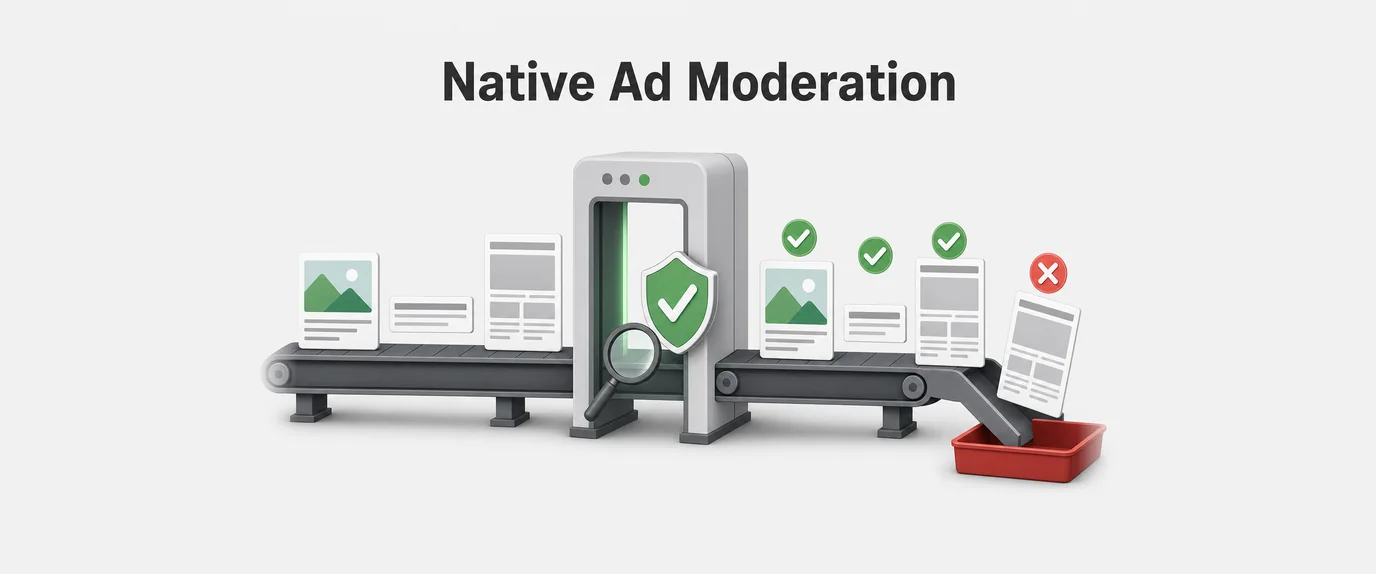
In mobile application publishing, in-feed native advertising represents one of the highest eCPM monetization channels available. By inserting sponsored cards directly into content streams—such as news feeds, social timelines, and product listings—publishers achieve organic click-through rates (CTR) far exceeding traditional display banners.
However, integrating native ads into infinite scrolling feeds introduces severe technical challenges for Android developers. RecyclerView relies on smooth, 60 FPS (or 120 FPS on high-refresh displays) layout passes to maintain fluid scrolling. When a native ad SDK executes heavy layout inflation, loads high-resolution bitmaps, or initializes media players synchronously on the main UI thread during a scroll event, the application suffers from UI Jank (frame drops), memory spikes, and elevated Application Not Responding (ANR) rates.
Optimizing an Android Native Ad SDK requires shifting view inflation off the main thread, implementing intelligent video segment pre-caching, and managing ViewHolder lifecycles to guarantee stutter-free scrolling and instant video playback.
1. The In-Feed Rendering Bottleneck: Why Native Ads Block the Main Thread
To understand why native ads cause scrolling lag in Android, consider the layout pass lifecycle of a standard RecyclerView.Adapter. When a user swipes through a feed, the RecyclerView calls onCreateViewHolder() to instantiate new views and onBindViewHolder() to populate them with data.
Standard publisher content items (text views, simple images) inflate in under 2 milliseconds. Native ad containers, by contrast, are complex view hierarchies containing multiple text layers, star rating components, dynamic CTA badges, sponsor labels, and video containers (MediaView).
[SYNCHRONOUS AD INFLATION: Main Thread Stutter]
Main Thread: ──[Scroll Event]──► [Inflate Ad XML (18ms)] ──► [Frame Dropped (Jank!)] ──► [Render]

[ASYNC PRE-INFLATION: Fluid 120 FPS Scrolling]
Background: ──[Pre-Inflate Ad ViewPool]───────────────────────────────────────────────┐
                                                                                     │
Main Thread: ──[Scroll Event]──► [Fetch Pre-Inflated View (<1ms)] ───────────────────┼──► [Render (0 Frames Dropped)]
Core Sources of UI Jank in Ad Rendering:
- Complex XML Parsing: Parsing large, deeply nested XML layouts for native ad templates during a scroll pass consumes 15 to 25 milliseconds on mid-range devices, exceeding the strict 8.3ms frame budget required for 120Hz displays.
- Synchronous Bitmap Allocation: Decoding high-resolution thumbnail graphics or advertiser branding logos directly on the UI thread causes garbage collection (GC) pauses and memory churn.
- Unmanaged Video Initialization: Instantiating media players (such as
ExoPlayeror AndroidMediaPlayer) insideonBindViewHolder()forces main-thread hardware surface allocation, triggering visible UI freezes.
2. Asynchronous View Inflation & ViewPool Pre-Fetching
To keep onCreateViewHolder() execution under 1 millisecond, the ad SDK must decouple layout inflation from the immediate scrolling pipeline. This is achieved using Asynchronous View Inflation coupled with a custom, thread-safe View Pool.
┌────────────────────────────────────────────────────────────────────────┐
│                   Asynchronous Ad ViewPool Architecture                │
│                                                                        │
│  [Background Worker Thread / Coroutine Scope]                          │
│            │                                                           │
│            ├──► Inflates Ad View Hierarchy Asynchronously              │
│            └──► Populates ConcurrentLinkedQueue<NativeAdView>          │
│                                                                        │
│  [RecyclerView Scroll Pass]                                            │
│            │                                                           │
│            ▼                                                           │
│  `onCreateViewHolder()` ──► Pulls Pre-Inflated View from Pool (<0.5ms) │
└────────────────────────────────────────────────────────────────────────┘
Architectural Execution Strategy:
- Pre-Fetching Window Calculation: The SDK monitors the user’s scroll velocity and current feed position. When the viewport approaches an upcoming ad position (e.g., 3 to 5 items ahead), a background background thread triggers view inflation.
AsyncLayoutInflater/ Custom Inflation Coroutine: Instead of using standardLayoutInflater.inflate(), the SDK leverages a background thread pool to parse XML structures and construct theViewtree off the main thread.- Thread-Safe View Recycling (
AdViewPool): Pre-inflated, un-boundNativeAdViewinstances are pushed into a thread-safe queue (ConcurrentLinkedQueue). WhenonCreateViewHolder()requests an ad layout, the adapter pops a ready view instantly without touching XML parsers.
3. Smart Video Pre-Caching Engine with Android Media3 / ExoPlayer
For native video ads, waiting for a user to scroll an ad card into the active viewport before downloading video assets creates an unacceptable 2 to 4 second buffering delay. Conversely, downloading full 30-second video files in advance burns unnecessary mobile data and storage.
The solution is Segmented Video Pre-Caching using Android’s Media3 / ExoPlayer infrastructure paired with a Least Recently Used (LRU) disk cache.
[Ad Campaign Assigned]
          │
          ▼
[Media3 Pre-Cache Manager]
  ├── Downloads First 2 MB (Initial HLS / MP4 Segment) to LRU Disk Cache
  └── Suspends Download (Awaits Scroll Entry)
          │
          ▼
[User Scrolls Ad into Viewport]
  ├── Player Attaches to Cached File Segment ──► Instant First-Frame Playback (<50ms)
  └── Resumes Stream Download Asynchronously
Technical Pre-Caching Pipeline:
- Initial Segment Buffering: As soon as an ad impression is filled, the SDK’s background cache service fetches only the initial video segment (the first 1.5 MB to 2 MB, representing ~3 seconds of playback or the initial HLS initialization chunk).
SimpleCache&CacheDataSourceIntegration: The SDK configures ExoPlayer’sMediaSourceFactorywith a dedicatedCacheDataSourceFactorybacked by aLeastRecentlyUsedCacheEvictor(capped at 50 MB to 100 MB total app storage).- Instant Surface Swap: When the ad card enters the screen, the player binds to the pre-cached disk bytes immediately, rendering the first frame in under 50ms without hitting the network thread.
4. Lifecycle-Aware Attachment & Recycler Memory Management
Because RecyclerView aggressively recycles view containers as they scroll off-screen, failing to manage video surfaces and bitmap references leads to severe memory leaks, background audio playback bugs, and high battery drain.
Native ad SDKs must implement Lifecycle-Aware View Holders using Android’s DefaultLifecycleObserver and RecyclerView.Recycler callbacks.
┌────────────────────────────────────────────────────────────────────────┐
│               Lifecycle-Aware ViewHolder State Engine                  │
│                                                                        │
│  [Event: `onViewAttachedToWindow`]                                     │
│     └── Register Surface, Play Video (If >50% Visible)                 │
│                                                                        │
│  [Event: `onViewDetachedFromWindow` / `onViewRecycled`]                │
│     ├── Pause Video Player & Detach SurfaceView                        │
│     ├── Clear Image Bitmaps (`Glide` / `Coil` Clear)                   │
│     └── Return Player Instance to ExoPlayer Pool                       │
└────────────────────────────────────────────────────────────────────────┘
Memory & Surface Optimization Rules:
- Viewport Impression Tracking (
VisibilityTracker): Video playback should only start when at least 50% of the ad container’s pixel area is visible in the active viewport for more than 500 milliseconds. - Surface Detachment on Recycling: When
onViewDetachedFromWindow()oronViewRecycled()fires, the SDK instantly detaches theSurfaceView/TextureView, pauses player execution, and releases bitmap references to prevent memory leaks. - ExoPlayer Pooling: Maintaining multiple active
ExoPlayerinstances consumes massive system RAM. The SDK maintains a singleton or dual-instancePlayerPool, reallocating a single player instance to whichever ad container currently occupies the screen’s active focal zone.
5. Architectural Performance Comparison
Data gathered across high-volume Android applications demonstrates the operational benefits of transitioning from synchronous ad rendering to an optimized Native Ad SDK pipeline:
| Performance & Quality Metric | Legacy Synchronous Ad SDK | Optimized Async & Pre-Cached SDK Stack | Performance Delta |
RecyclerView Frame Drop Rate (Jank) | 14.5% of Scroll Frames | < 0.8% Dropped Frames | 18x Smoother Scrolling |
onCreateViewHolder Duration | 18.2ms (Main Thread Block) | < 0.4ms (Pool Retrieval) | 45x Faster Layout Pass |
| Video Time-to-First-Frame (TTFF) | 2,400ms – 4,100ms (Buffering) | < 45ms (Instant Playback) | 98% Faster Video Launch |
| Peak RAM Consumption Spikes | +120 MB Memory Spikes | +18 MB Capped Allocation | 85% Memory Churn Reduction |
| Google Play Vitals ANR Rate | 0.62% (Above Penalty Limit) | < 0.02% (Healthy Zone) | Eliminates Store Penalties |
| Ad Video Viewability Rate | 42.5% | 88.6% (Instant Start) | +108% Viewability Growth |
6. Publisher Implementation & Engineering Checklist
Follow this checklist to integrate and optimize Native Ad SDK performance within Android RecyclerView feeds:
- Implement Asynchronous View Pre-Inflation: Initialize an
AdViewPoolthat pre-inflates XML card structures on a background thread prior to user scroll events. - Configure Media3 / ExoPlayer Disk Caching: Wrap video data sources in a
CacheDataSourcebacked by an LRU eviction strategy capped at 50 MB–100 MB. - Pool Player Instances: Limit active media player instances to 1 or 2 across the entire activity lifecycle, swapping surface targets dynamically as items scroll.
- Bind to
ViewHolderRecycler Callbacks: OverrideonViewDetachedFromWindow()andonViewRecycled()in your adapter to pause playback and release view bindings immediately. - Deploy Impression Visibility Thresholds: Ensure video playback and impression postbacks fire only when the ad layout meets 50% visibility criteria for a minimum 500ms dwell time.
- Enable R8 / ProGuard Code Shrinking: Maintain explicit ProGuard rules for Media3 and Native Ad Data Models to prevent reflection crashes after code obfuscation:
-keep class com.google.android.exoplayer2.** { *; } -keep class androidx.media3.** { *; }
By replacing main-thread view inflation with Asynchronous View Pools, implementing Media3 video pre-caching, and strictly managing ViewHolder lifecycles, Android publishers eliminate UI stutter, protect Google Play Vitals, and deliver an instant, high-viewability native video experience.