Every advertiser wants the same thing: an ad that gets noticed without annoying the viewer. Every publisher wants the opposite side of the same coin: ad revenue without driving readers away. Two formats sit at the center of this debate: native ads and banner ads. Both are popular, both are scalable, and both work, but they blend into content in very different ways.
This guide compares them head to head so you can pick the right format for your campaign or your site.
What Are Banner Ads?
Banner ads are the classic display format: rectangular graphic units placed in headers, sidebars, footers, or between content blocks. They come in standard sizes (300×250, 728×90, 320×50, and others) and rely on strong visuals, short copy, and a clear call to action.
Their main strengths are speed and recognizability. Users instantly understand what a banner is, and advertisers can launch large-scale branding campaigns with simple creatives. The weakness is just as clear: banners look like ads, so many users have learned to ignore them. This is the well-known problem of banner blindness.
If you want to run this format, take a look at banner ads on Gtaroads, with flexible sizes and targeting options.
What Are Native Ads?
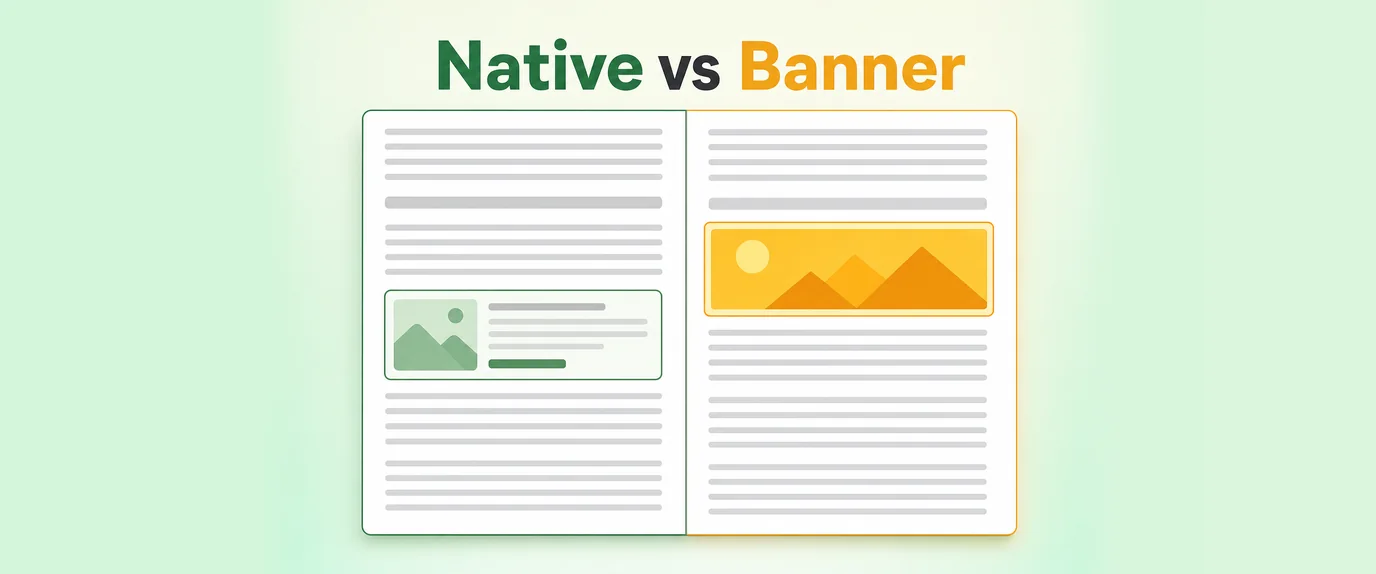
Native ads are designed to match the look, feel, and function of the page where they appear. They usually take the form of recommendation widgets, in-feed units, or sponsored content blocks with a headline, a thumbnail, and a short description. Instead of interrupting the page, they sit inside it.
Because they follow the editorial style of the site, native ads tend to feel more like suggested content than a sales pitch. That usually means higher engagement, better trust, and fewer complaints from visitors.
Native Ads vs Banner Ads: Side-by-Side Comparison
| Criteria | Native Ads | Banner Ads |
|---|---|---|
| Visual integration | Matches page design and tone | Stands out as a separate block |
| User perception | Feels like recommended content | Clearly recognized as advertising |
| Typical CTR | Higher in most placements | Lower, affected by banner blindness |
| Creative requirements | Headline, image, short text | Polished graphic design |
| Best goal | Engagement, traffic, lead generation | Brand awareness, retargeting, reach |
| Ad blocker risk | Lower in many cases | Higher |
| Mobile experience | Smooth, fits feeds | Can feel intrusive if oversized |
| Production speed | Fast, easy to rotate headlines | Fast, but needs design assets |
| Cost per click | Often moderate | Often lower, but with less engagement |
Which Format Blends Better?
Native ads win on blending. Since their design mimics the surrounding content, visitors process them the same way they process an article preview or a product recommendation. There is no visual jolt, which means less resistance.
That said, “blending” does not mean “better” in every scenario. A banner can be the right choice when you need:
- Maximum visibility for a brand launch or a major promotion
- Strong visual storytelling with animation or bold creative
- Retargeting visitors who already know your product
- Fixed placements on high-traffic pages
A native unit is the smarter pick when you want:
- Higher engagement on content-heavy pages
- Cleaner user experience and lower bounce risk
- Performance-driven traffic for offers, apps, or lead generation
- Better results on mobile feeds and article pages
How Each Format Affects User Experience
User experience is where the real difference shows up. Banner ads occupy fixed space and compete with the content for attention. If they are too large, too bright, or too numerous, they push readers away.
Native ads flow with the page. A reader scrolling through articles meets another article-style card, not a flashing rectangle. This lowers friction and keeps the session going. For publishers, this often translates into healthier long-term metrics: more pageviews per visit, lower bounce rates, and fewer ad-blocker installs.
The key rule for both formats is relevance. A well-targeted banner will beat a poorly matched native widget, and the reverse is also true.
Choosing Based on Your Role
If you are an advertiser
Start with your goal. For awareness and broad reach, banners deliver impressions quickly. For clicks, conversions, and qualified traffic, native placements usually give you more value for each visit. Many advertisers combine both: banners to build recognition, native to capture intent.
To manage this in one place, a dedicated ads network for advertisers gives you access to multiple formats, audiences, and geos. If you prefer automated buying with granular control, real time bidding for advertisers lets you bid on impressions in real time and optimize by audience, placement, and price.
If you are a publisher
Think about how ads will affect your readers. Native widgets below articles and in feeds typically earn well without hurting the experience, while a well-placed banner can monetize sidebars and headers. Testing both on the same pages is the fastest way to find your best mix.
A reliable ads network for publishers helps you plug in several formats quickly. If you run a mobile app, the Android SDK for publishers lets you integrate ad units directly into your app experience.
Other Formats Worth Combining
Native and banner ads do not have to work alone. A balanced monetization or acquisition strategy often includes extra formats:
- Push ads reach users directly on their devices, even when they are not on your site
- Popunder and clickunder ads generate high-volume traffic with minimal on-page footprint
- Smartlink advertising automatically routes traffic to the best-performing offer for each user
Using these alongside native and banner units diversifies your income or traffic sources and reduces dependence on any single format.
Best Practices for Better Blending
Whichever format you choose, a few habits improve results:
- Match the context. Place ads next to content that fits the offer.
- Keep creatives honest. Headlines should reflect the real landing page, or trust drops fast.
- Limit ad density. Too many units on one page hurt both user experience and performance.
- Test constantly. Rotate headlines, thumbnails, sizes, and positions.
- Optimize for mobile first. Most traffic is mobile, so check how every unit looks on a small screen.
- Track the right metrics. Look beyond CTR to conversion rate, eCPM, and engagement time.
FAQ
Are native ads better than banner ads?
Not always. Native ads usually blend better and earn higher engagement, while banners are strong for brand awareness and retargeting. The better format depends on your goal and your audience.
Do native ads have a higher CTR than banners?
In most cases, yes. Because they look like part of the content, native units tend to attract more clicks than standard display banners, though results vary by placement and creative quality.
Can I use native and banner ads on the same website?
Yes. Many publishers combine them, using banners in headers and sidebars and native widgets within or below articles. Just keep the total ad load reasonable.
Which format works better on mobile?
Native ads often perform better in mobile feeds because they fit naturally into scrolling. Compact banners can still work well if they are properly sized and not intrusive.
Do native ads need to be labeled as advertising?
Yes. Responsible native advertising is clearly marked as sponsored or promoted. Transparency protects user trust and keeps campaigns compliant.
How do I know which format is right for me?
Run a split test. Launch both formats with similar targeting and budgets, then compare conversion rate, cost per result, and user behavior over a few weeks.
Final Thoughts
Native ads blend into content more smoothly, which makes them a strong choice for engagement, performance, and user-friendly monetization. Banner ads remain a powerful tool for visibility, branding, and retargeting. The smartest approach is rarely either-or: test both, track real results, and let your data decide the mix