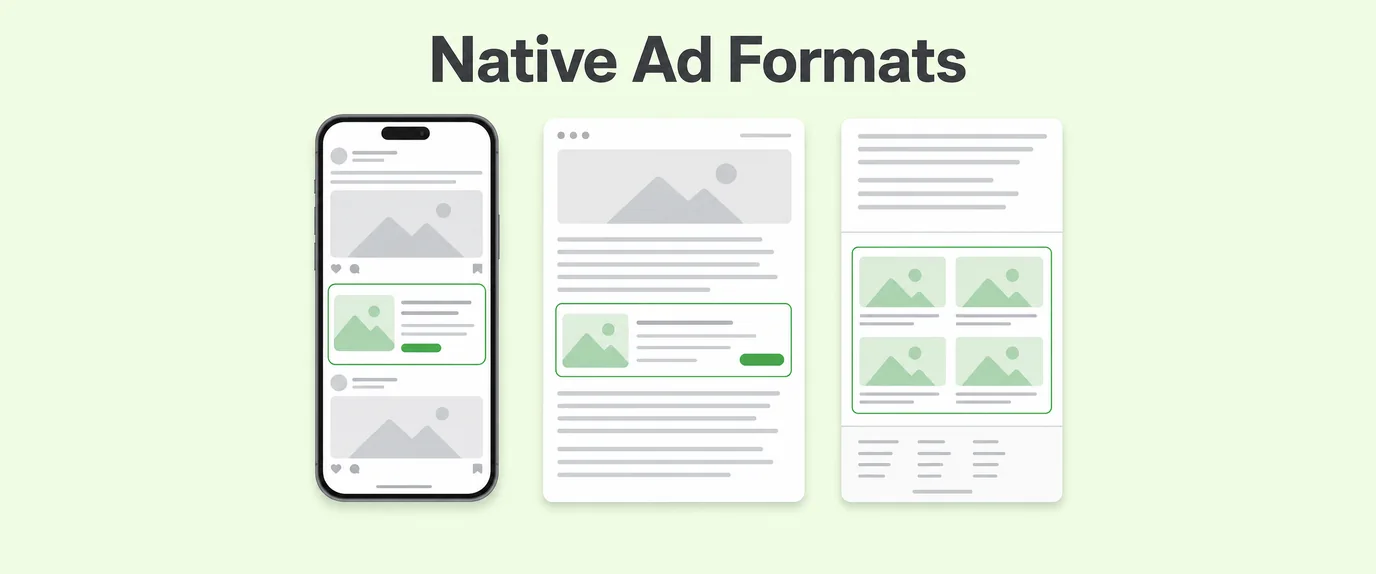
Open any news site, and you’ll scroll past dozens of ads without registering most of them as ads at all. That’s the entire point of native advertising — and it comes in three distinct shapes: in-feed, in-content, and recommendation widgets. Confuse them, and you’ll misjudge where to place a campaign, how it should look, and why it either converts or gets ignored.
This guide walks through each format on its own terms — no jargon dump, no vague “native is native” hand-waving.
First, what makes an ad “native” at all
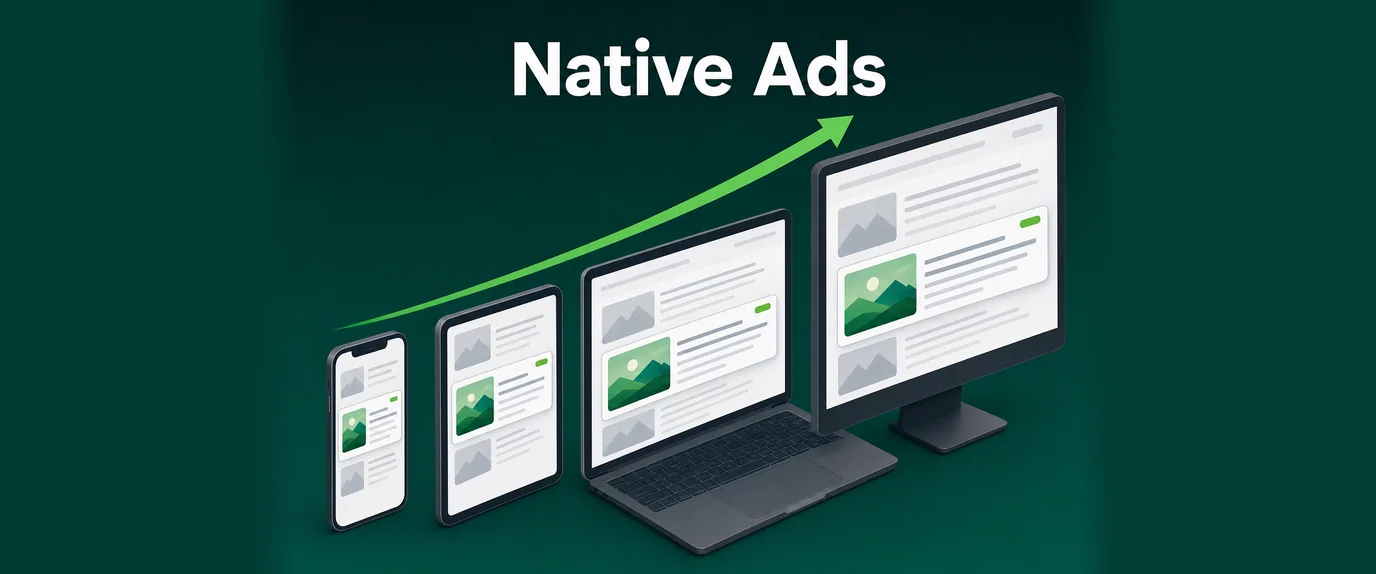
Native advertising is a paid format designed to visually and structurally match the platform it appears on, rather than standing apart from it like a traditional banner or popunder. A native ad on a news site looks like an article card. A native ad in a mobile app feed looks like a regular feed post.
The shared traits across all native formats:
- Matching fonts, colors, and card shapes to the host page.
- A thumbnail image, headline, and short description — mimicking editorial content.
- A visible but unobtrusive “Sponsored,” “Promoted,” or “Ads” disclosure label.
- Placement inside content the user is already engaging with, not layered on top of it.
That last point is where the three formats actually diverge — and it’s worth slowing down on each one.
Format one: in-feed ads
Picture a social media timeline, or a news homepage built from stacked article cards. Now imagine one of those cards is paid. That’s an in-feed ad: a native unit inserted directly between organic content items inside a scrollable feed, styled to match the cards around it.
What makes in-feed distinct:
- It occupies a full “slot” in the feed — same size, same layout, same visual weight as organic items.
- Users encounter it while browsing (scrolling through options), not while reading (focused on one piece of content).
- It’s the format most associated with social platforms, news homepages, and app store listings.
Where it tends to perform well: e-commerce, app installs, and awareness campaigns that benefit from a strong thumbnail image doing most of the persuasive work, since users are in “scan mode” rather than deep-reading.
A quick industry note: several ad-tech benchmarking reports over the past few years have consistently placed in-feed CTR above in-content and recommendation-widget CTR on mobile traffic specifically, largely attributed to thumb-scroll behavior making every card equally “clickable” in the user’s mind.
Format two: in-content ads
Now picture something different: you’re three paragraphs into a long article, and a native ad sits right there, inline, between the text. That’s an in-content ad — a native unit embedded within the body of a single piece of content, rather than between separate content items.
Key distinctions from in-feed:
- It interrupts reading, not scrolling. The user is already committed to one article; the ad has to justify a detour.
- It usually inherits the article’s typography more tightly — matching heading styles, paragraph spacing, and body font almost exactly.
- Placement depth matters a lot. An in-content ad after paragraph 2 behaves completely differently from one after paragraph 8, in terms of both viewability and reader fatigue.
| Placement point | Viewability | Reader disruption | Typical use case |
|---|---|---|---|
| After paragraph 1-2 | High | High | Awareness, high-CTR offers |
| Mid-article (paragraph 4-6) | Medium-high | Medium | General performance campaigns |
| Near the end (last 2 paragraphs) | Medium | Low | Retargeting, lower-friction offers |
In-content units generally reward advertisers who write ad copy that reads like it belongs on the page — a mismatch between casual editorial tone and hard-sell ad copy stands out immediately in this format, more than in a feed of separate cards.
Format three: recommendation widgets
Scroll to the bottom of almost any online news article and you’ll hit a grid of thumbnails: “You might also like,” “Around the web,” “More from [site].” That grid is a recommendation widget — a block of native ad units (often mixed with genuine editorial recommendations) displayed as a multi-item module, typically at the end of a page.
What sets it apart:
- It’s a module of several ads at once, not a single unit — usually 4 to 12 thumbnails in a grid.
- It appears at a natural exit point, when the user has already finished consuming the main content.
- It leans heavily on curiosity-driven headlines and thumbnail imagery, since users are in a “what’s next” mindset rather than a focused reading or scanning mode.
Because the user’s attention is already winding down, recommendation widgets tend to work best with lower-commitment, curiosity-led offers rather than complex, high-consideration products — the format rewards a strong headline-thumbnail combination more than deep landing page content.
Comparing the three formats side by side
| Aspect | In-Feed | In-Content | Recommendation Widget |
|---|---|---|---|
| Placement | Between feed items | Inside article body | End of page, grid layout |
| User mindset | Browsing/scanning | Reading | Exiting/curiosity |
| Unit count per view | Single unit | Single unit | Multiple units (grid) |
| Best-fit verticals | E-commerce, app installs | General performance, finance | Curiosity, entertainment, sweepstakes |
| Typical CTR range | Moderate-high | Moderate | Moderate |
None of these formats is objectively “the best” — they answer different moments in the user journey, which is exactly why the strongest native strategies combine at least two of them rather than picking one and scaling it in isolation.
Choosing the right format for your traffic
A short decision framework, based on where your traffic actually spends its attention:
- Feed-heavy sites and apps (news homepages, social-style layouts) → lead with in-feed units.
- Long-form content sites (blogs, editorial publishers) → prioritize in-content placements mid-article.
- High page-exit traffic (single-article visits, low internal navigation) → add a recommendation widget to capture attention before the user leaves entirely.
- Mixed layouts → run all three, but track revenue per placement independently rather than blending the numbers, since a widget that underperforms in the header can still be a top earner in the footer.
This same placement logic extends to how native inventory gets bought and sold: publisher accounts typically configure all three formats within a single site integration, while advertiser accounts can target specific formats depending on the campaign’s funnel stage — awareness-heavy campaigns leaning on in-feed, and consideration-stage campaigns leaning on in-content.
A note on compliance and disclosure
Regardless of format, disclosure isn’t optional. Regulatory bodies in most major markets require a visible label — “Sponsored,” “Ad,” “Promoted” — on any paid content styled to resemble editorial material. Skipping this isn’t just a legal risk; it also erodes the exact trust that makes native advertising effective in the first place once readers feel misled.
For programmatic buying across all three native formats, campaigns are frequently managed through RTB platforms, which allow bid and placement adjustments in real time — and combined with smartlink routing for advertisers who want a single native campaign to serve multiple offers depending on user context. On the publisher side, mobile app inventory can plug into these same native formats through an Android SDK integration, extending in-feed and recommendation-style units beyond the mobile web.
Frequently Asked Questions
What are the three main types of native ad formats? In-feed ads, in-content ads, and recommendation widgets — each placed differently on the page and matched to a different stage of the user’s browsing behavior.
Is a recommendation widget the same thing as a native ad? It’s one specific type of native ad: a grid of thumbnail-based suggestions, usually shown at the end of an article, alongside in-feed and in-content as the other main formats.
Which native ad format has the highest CTR? In-feed ads often lead on CTR, especially on mobile, since users are already in scroll-and-tap mode when they encounter the unit.
Do native ads need to be labeled as sponsored content? Yes, virtually all ad networks and most regulators require a visible disclosure label such as “Sponsored” or “Ads” on native units.
Are in-content ads more disruptive than in-feed ads? In-content ads can feel more disruptive since they interrupt a single article’s reading flow, whereas in-feed ads sit between separate content cards during browsing.
Which native format is best for a news or blog website? A combination of in-content ads placed mid-article and a recommendation widget at the end typically performs best, since each targets a different moment in the reader’s session