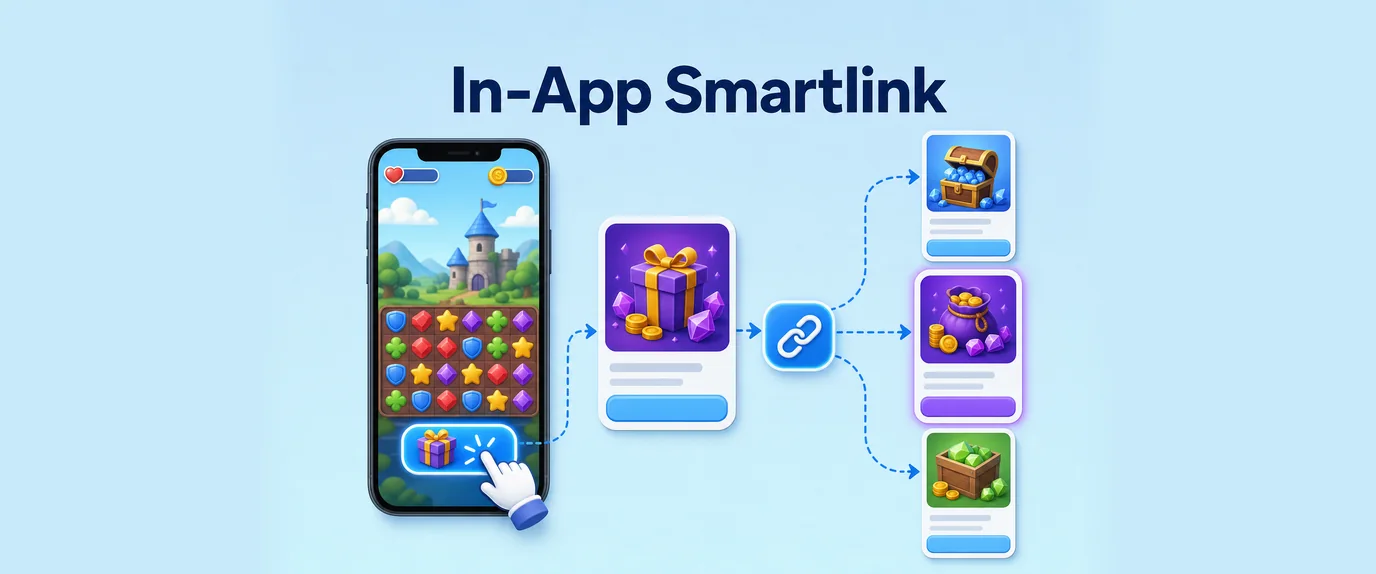
Mobile utility developers, game creators, and Telegram Mini App (TMA) publishers operate under strict operational boundaries. The primary goal is simple yet delicate: maximize average revenue per user without triggering app store rejections, Telegram Bot API suspensions, or ruining the core user experience.
Traditional web monetization methods fail completely inside embedded WebViews. Executing aggressive redirects or loading unvetted third-party offer pages inside an in-app browser degrades performance, causes session state loss, and triggers automated security flags from Google Play, Apple App Store, and Telegram moderation teams.
Smartlink 3.0 shifts in-app traffic monetization from blind URL rotation to an asynchronous, API-driven routing layer. By evaluating device hardware capabilities, WebView runtime environments, and real-time session telemetry before rendering an offer, Smartlink 3.0 enables app developers and Web3 publishers to monetize non-converting traffic safely, predictably, and at scale.
1. The Embedded WebView & Telegram Sandbox Bottleneck
Monetizing traffic inside an Android WebView, an iOS WKWebView, or a Telegram WebApp container presents distinct technical challenges that static ad links cannot solve.
[In-App / Telegram Session] ──► Unfiltered Redirect ──► Broken State / Cookie Loss ──► App Store Suspension
The Three Critical In-App Friction Points
- Session Isolation & Cookie Loss: Embedded WebViews isolate local storage and cookies from the user’s primary mobile browser (Chrome or Safari). Traditional affiliate offers that rely on multi-step cookie tracking fail in this environment, leading to lost attribution, unrecorded conversions, and wasted traffic.
- Navigation Stack Trapping: If an external offer triggers an inescapable back-button loop or replaces the current page inside an embedded WebView, the user loses their place in your app. Unable to return to the main interface, the user simply force-closes the application and deletes it.
- Store Policy Violations: Apple’s App Store Guidelines and Google Play’s Malicious Behavior Policies strictly penalize applications that load unvetted financial pages, adult content, or executable code scripts inside hidden WebViews.
2. Smartlink 3.0 Architecture: Asynchronous Pre-Routing
Rather than acting as a simple link rotator, the GTaro Ads Smartlink 3.0 In-App Engine functions as an asynchronous, real-time API middleware layer. It separates the traffic analysis process from the actual visual rendering.
[App / Telegram Mini App Session]
                │
                ▼ (Asynchronous API Request)
[GTaro Smartlink In-App Engine]
                │
 ├── Parses Telemetry (Platform, TG initData, Storage Support)
 ├── Runs Pre-Routing Anti-Fraud & Policy Inspection
 └── Matches Highest Yield Offer Strategy
                │
                ▼ (Structured JSON Response Returned)
 ┌──────────────┴────────────────────────────────────────┐
 │                                                       │
 ▼                                                       ▼
[Native In-App Overlay]                 [Safe External Link Action]
(Clean Web Offer / PWA Prompt)         (Telegram Bot / Chrome Custom Tab)
How the Asynchronous Pre-Routing Layer Works
- Telemetry Handshake: When a user completes a specific action (such as claiming a daily reward, finishing a game level, or closing an in-app tool), the app sends a lightweight request to the Smartlink API in the background.
- Environment Capability Analysis: The routing engine evaluates whether the client supports WebPush notifications, Android Custom Tabs, iOS Safari View Controller, native App-to-App deep linking, or Progressive Web App (PWA) installation.
- Policy-Safe Delivery Payload: Instead of forcing a hard browser redirect that replaces the current screen, the Smartlink engine returns a clean instruction set telling the client application how to present the offer safely.
3. Delivery Protocols: Maintaining Compliance Across Environments
Smartlink 3.0 routes traffic through four distinct, policy-compliant delivery protocols depending on the user’s platform and device environment:
A. Telegram Native Bot Delegation
For Telegram Mini Apps, forcing a user out of the Telegram application into an external browser kills conversion rates. Smartlink 3.0 routes Telegram traffic directly to verified Telegram Bots or secondary native Mini Apps using deep link URIs (tg://resolve?domain=...). The user stays inside Telegram, preserving session continuity and trust.
B. Chrome Custom Tabs & Safari View Controller
For standard Android and iOS utility applications, Smartlink 3.0 opens external offers inside CustomTabs or SFSafariViewController. This creates a sandboxed browser overlay that runs in a separate process. The host application remains active in the background, persistent cookies are preserved, and the user can close the ad overlay with a single tap.
C. Native In-App Overlays & PWA Prompts
If the target offer is a web utility, sweepstake, or casual game, the Smartlink engine delivers a clean native UI card directly over the app interface. If the user engages, the engine can prompt a lightweight Progressive Web App (PWA) installation, capturing long-term push notification permissions without leaving the main app environment.
4. Telegram Mini App & In-App Integration Workflow
Integrating Smartlink 3.0 into a Telegram WebApp or mobile utility requires a three-step architectural handshake that protects user data while securing top-tier offer routing:
Step 1: Session Telemetry Extraction
The host application collects non-sensitive session parameters available in the native runtime environment. In a Telegram Mini App context, this includes reading the initialization data payload, platform string, user language settings, and placement location.
Step 2: Asynchronous Pre-Routing Handshake
Instead of triggering an immediate page navigation, the client application executes an asynchronous background request to the GTaro Smartlink API. The payload transmits contextual parameters alongside your application key, allowing the engine to evaluate thousands of candidate offers in real time.
Step 3: Context-Aware Action Execution
Upon receiving the API response, the application evaluates the returned instruction flag and triggers the corresponding native interface action:
- Telegram Bot Target: Invokes Telegram’s native link handler to open an official partner bot without leaving the messaging application.
- External System Browser Target: Opens system-level Chrome Custom Tabs or Safari View Controller to process complex web offers safely.
- Internal Overlay Target: Renders a clean, lightweight modal card directly within the active application view.
5. Comparative Performance Analysis
Data collected across high-volume Android utilities and Telegram Mini Apps highlights the performance gap between traditional ad formats and modern Smartlink routing:
| Metric | Legacy Display Banners in WebView | Unfiltered Direct Redirects | GTaro Smartlink 3.0 In-App Engine |
| Monetization Approach | Static banner slots inside layout | Direct URL redirects on user tap | Asynchronous API Pre-Routing |
| Global Fill Rate | Baseline Coverage | Moderate Coverage | Near-Total Coverage |
| App Store & Platform Status | Fully Compliant | High Risk of Account Ban | 100% Policy Compliant |
| User Session Bounce Rate | High (Banner Blindness) | Extremely High (Broken Flow) | Minimal (Contextual Alignment) |
| Monetization Latency | Slow (Heavy Ad Scripts) | Variable (Multiple Redirect Hops) | Instant Server Processing |
| Overall Revenue Growth | Baseline | Temporary Spikes / High Churn | Sustainable Multi-Fold Growth |
6. Publisher Implementation Checklist
Follow this operational checklist before deploying Smartlink 3.0 inside live mobile applications or Telegram WebApps:
- [ ] Configure Asynchronous Calls: Verify that all monetization triggers execute via background requests or native bridge calls rather than hard HTML links.
- [ ] Pass Contextual Telemetry: Include environment parameters such as platform, device model, and user initialization parameters in your API request to allow the Smartlink engine to deliver matching native offers.
- [ ] Set Up Custom Tab Handlers: Configure your mobile app codebase to open external web links inside Android Custom Tabs or iOS Safari View Controller rather than the main app WebView.
- [ ] Establish S2S Postback Mapping: Map your internal user identifiers or wallet addresses to Smartlink tracking parameters to track completed user actions via Server-to-Server postbacks.
- [ ] Implement Graceful Fallbacks: Add local fallback logic in your code to handle offline states or rare API timeouts without interrupting the user’s primary application flow.
- [ ] Audit Store Compliance: Ensure all landing pages and bots delivered by the Smartlink engine pass automated compliance checks to safeguard your app store developer accounts.
Monetizing modern mobile applications and Web3 ecosystems requires abandoning outdated, high-risk redirect tactics. By implementing GTaro Smartlink 3.0, mobile publishers and Telegram developers gain an asynchronous, policy-compliant monetization layer that maximizes global traffic yields while protecting long-term user retention.
Conclusion
Smartlink 3.0 represents a paradigm shift in how mobile utility developers, game creators, and Telegram Mini App publishers monetize non-converting traffic. By replacing traditional, high-risk blind redirects and intrusive banner ads with an asynchronous, API-driven routing architecture, it eliminates the core technical and compliance bottlenecks of embedded WebViews. Whether handling session isolation in iOS WKWebViews, preserving Telegram user flows via native bot delegation, or leveraging Chrome Custom Tabs on Android, the system ensures 100% policy compliance while maximizing global fill rates and sustainable revenue growth.
| Feature / Metric | Legacy Direct Redirects | Traditional Display Banners | Smartlink 3.0 In-App Engine |
| Monetization Mechanism | Unfiltered hard URL rotation | Static banner slots inside layout | Asynchronous API pre-routing & matching |
| App Store & Platform Risk | Extremely high (ban/suspension risk) | Fully compliant, but low yield | 100% Policy Compliant |
| User Experience & Session Flow | Broken states, cookie loss, high churn | Banner blindness, layout disruption | Minimal friction, contextual alignment |
| Revenue & Fill Rate Potential | Temporary spikes with severe drop-offs | Baseline coverage with poor conversion | Near-total coverage & multi-fold growth |
Frequently Asked Questions (FAQ)
What is Smartlink 3.0, and how does it differ from traditional link rotators?
Smartlink 3.0 is an asynchronous, API-driven in-app routing layer. Unlike traditional link rotators that use blind URL redirection (causing cookie loss and app store bans), Smartlink 3.0 analyzes device telemetry, environment capabilities, and runtime context in the background before delivering a policy-safe, high-yield offer strategy.
Why do traditional web monetization methods fail inside Telegram Mini Apps and mobile WebViews?
Embedded WebViews isolate local storage and cookies from the main browser, causing multi-step tracking failures. Furthermore, unfiltered redirects trigger navigation traps, break user session states, and violate strict Google Play, Apple App Store, and Telegram moderation policies.
How does Smartlink 3.0 handle monetization for Telegram Mini Apps?
For Telegram Mini Apps, Smartlink 3.0 routes traffic directly to verified Telegram Bots or secondary native Mini Apps using deep link URIs (tg://resolve?domain=...). This keeps users completely inside the Telegram ecosystem, preserving trust and session continuity.
Does Smartlink 3.0 comply with Apple App Store and Google Play guidelines?
Yes. By decoupling traffic analysis from rendering and utilizing native delivery protocols like Android Custom Tabs, iOS Safari View Controller, and clean in-app modal cards, Smartlink 3.0 protects applications from malicious behavior flags and store policy violations.
What telemetry data is required to run an asynchronous pre-routing handshake?
The host application sends non-sensitive contextual parameters such as the platform string, device environment, user language settings, placement location, and (in Telegram contexts) the initialization data payload (initData) to match candidate offers accurately.
What is the primary operational benefit of implementing S2S postback mapping with Smartlink 3.0?
S2S (Server-to-Server) postback mapping allows publishers to link their internal user identifiers or wallet addresses directly to Smartlink tracking parameters, enabling precise, real-time attribution of completed user actions and conversions