In 2026, the digital attention economy has reached a breaking point. The average Android user now navigates a daily deluge of 60 to 90 push notifications. This constant barrage comes from an ever-expanding ecosystem of Progressive Web Apps (PWAs), installed native apps, IoT device alerts, and decentralized web services.
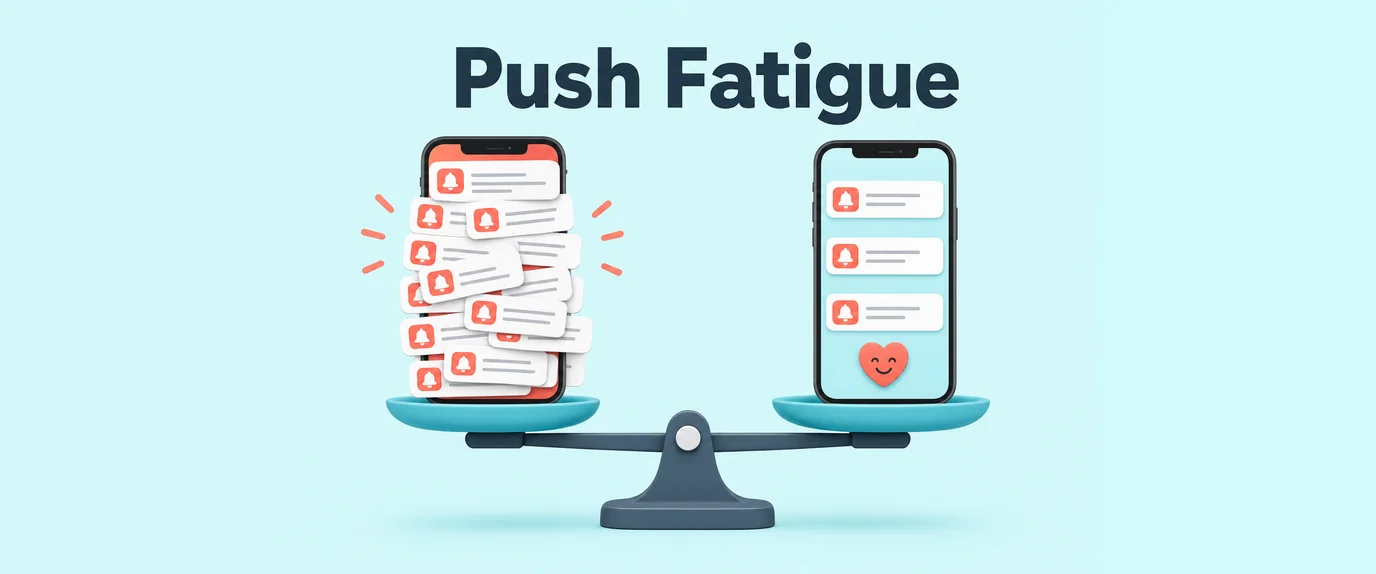
This saturation has cemented a phenomenon known as Extreme Notification Fatigue. Standard push notifications—those passive snippets of title, text, and an icon—have become digital background noise. In competitive verticals like iGaming, high-frequency E-commerce, FinTech, and Dating, Click-Through Rates (CTRs) have collapsed to historic lows, often hovering below 0.25%. Even “Rich Push” (Push 2.0), which added static images or GIFs, has seen its novel effectiveness decay as users instinctively develop “swipe-away” muscle memory.
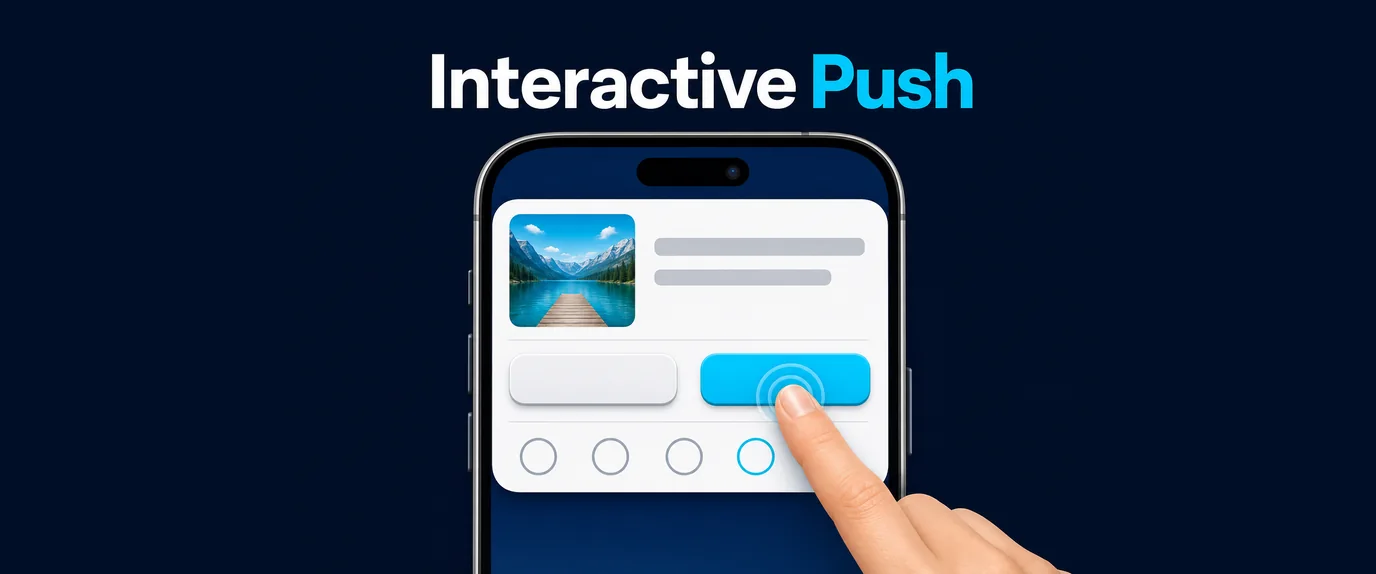
To breach this wall of indifference, top-tier media buyers, CRM managers, and digital publishers in 2026 are pivoting aggressively to Interactive Push Notifications 3.0. By embedding real-time micro-interactions, complex game mechanics, scratch cards, inline input fields, and dynamic state updates directly within the native Android system notification shade, Push 3.0 engages the user’s cognitive functions before they swipe to dismiss.
This article provides an in-depth, technical, and strategic analysis of the Push 3.0 landscape, its underlying architecture, behavioral psychology triggers, and deployment strategies for maximizing ROAS and Lifetime Value (LTV).
1. The Technological Paradigm Shift: From Passive to Programmable
Push 3.0 is not just an aesthetic upgrade; it is a fundamental shift in how operating systems handle remote payloads. Standard notifications are essentially “fire and forget” messages rendered by the OS template. Push 3.0 notifications are mini-applications executed within the notification shade.
The Evolution Summary:
- Push 1.0 (Passive Info): Plain text, icon, high friction (requires tap and full app load). Average CTR in 2026: 0.2%.
- Push 2.0 (Rich & Static): Passive image/GIF, static CTA buttons. Redirection is still required for engagement. Average CTR in 2026: 1.0%.
- Push 3.0 (Programmable & Gamified): Inline logic, game mechanics, real-time state synchronization, zero-friction interaction. Average CTR in 2026: 4.0% – 7.5%.
2. Deep Dive into the Architecture of Push 3.0 on Android
Executing complex logic inside a notification shade is technically demanding and requires sophisticated integration between the delivery server, the Android OS, and the Service Worker (for web) or App Compact layer (for native).
A. Web Push 3.0: The Service Worker Payload Swap & Notification Tagging
For web publishers and PWAs, Push 3.0 utilizes advanced Service Worker capabilities and the Web Push API payload structure to simulate gamification. Since you cannot inject custom Java/XML layouts via a browser push, you must use payload swapping based on user actions.
The Workflow:
- Initial Payload: The server sends a structured JSON payload detailing multiple
actions(buttons) and a uniquetag(e.g.,gamified_spin_v1). - Service Worker Interpretation: The
sw.jslistens for thepushevent, parses the payload, and renders the notification with game control buttons (e.g.,[Spin Now],[View Rules]). - Interaction Handling (
notificationclick): When the user clicks[Spin Now], the Service Worker intercepts thenotificationclickevent without opening a browser window. - State Update: The SW sends a micro-request to the server (“User spun the wheel”). The server calculates the result and sends back a new payload using the exact same
tag. - Payload Replacement: Android’s Notification Manager receives the new payload and, seeing the matching
tag, replaces the existing notification instantly with the outcome (e.g., “Jackpot! 300% Bonus Revealed”).
B. Native App Push 3.0: RemoteViews and PendingIntents
Installed applications have far more power. They leverage Android’s native RemoteViews framework to render custom XML layouts directly inside the notification tray.
Key Technical Components:
- Custom Layouts: The app definition includes specific XML layouts for notifications that contain
ImageViews,ProgressBarelements, and interactiveButtons. PendingIntentsandBroadcastReceivers: Every interactive element is tied to aPendingIntent. When tapped, this intent fires a broadcast that is caught by the app’sBroadcastReceiver, even if the app is closed.- Inline Re-rendering: The Receiver updates the application state, modifies the
RemoteViewsobject (e.g., changes the image from a covered scratch card to a revealed prize), and tells theNotificationManagerto re-notify, updating the shade without friction.
3. The Psychology of the Shade: Why Gamified Alerts Multiplied CTR
The effectiveness of Push 3.0 isn’t just about fancy code; it’s about leveraging core behavioral psychology in an environment where the user usually feels in control (the right to swipe away).
A. The Dopamine Feedback Loop
Standard pushes are demands on time (“Come buy this”). Push 3.0 is a low-stakes challenge (“Play this”). By offering a micro-game (spin, scratch, guess), the notification triggers a dopamine release associated with anticipation. The interaction friction is so low (one tap) that the user commits to the dopamine loop before they evaluate the marketing message.
B. The Sunk Cost Fallacy & Psychological Ownership
Once a user interacts with a notification—spins the wheel or scratches the card—they have invested time and effort (minimal as it is). When the prize is revealed inside the shade, the user develops a sense of psychological ownership over that reward. Swiping away a passive ad is easy; swiping away a prize you just won through interaction feels like a loss.
C. Reduction of Cognitive Load
Push 1.0/2.0 forces the user to make a complex decision: “Do I want to stop what I’m doing, wait for a browser/app to load, and look at this offer?” Push 3.0 reduces this to: “Do I want to tap this button?” The decision barrier is removed, leading to massive engagement lifts.
4. Advanced, High-Converting Mechanics by Vertical
Gamification must be vertical-specific to resonate. In 2026, segmentation data is fed directly into Push 3.0 generation engines to deliver personalized game mechanics.
1. iGaming & Sweepstakes: Infinite Re-spins and Bonus Reveals
Instead of “Here is a bonus,” use the Loss Aversion Trigger:
- The In-Shade Slots: The user receives a notification showing slot reels. The action buttons are
[Hold Reel 1],[Hold Reel 2],[Spin]. Tapping[Spin]updates the notification shade with new reel images. The interaction continues inside the shade until they hit a winning combination, at which point the final CTA button (“Claim $500 Winnings”) redirects them to the deposit page. - Multi-Stage Scratchers: The user scratches section 1 (reveals a small prize), then section 2 (bigger prize), building momentum before the final “Claim” tap.
2. E-Commerce & Retail: Inline Cart Recovery & Flash Deals
Standard abandoned cart pushes are ignored. Push 3.0 streamlines the recovery process:
- Inline Cart Editing: The push notification displays the abandoned item with
[-]and[+]quantity buttons and a[Remove]button natively in the shade. The total price recalculates dynamically as they interact. Once satisfied, they tap “Proceed to Checkout,” which deep-links directly into the final payment screen. - Flash-Sale ProgressBar: The notification shows a real-time, decrementing
ProgressBarindicating that stock is running out or the deal time is expiring.
3. Dating & Social: Real-Time Compatibility Match
- Live Swipe: Instead of passive “likes,” the alert shows a profile picture and
[Swipe Left]/[Swipe Right]buttons inside the notification. Tapping[Swipe Right]triggers an instant state check. If it’s a match, the alert updates immediately: “It’s a Match! Send your first message to [Name] now.”
4. Finance & Crypto: The Trade Simulator
- Impact Calculator: For volatility trading, the notification presents an asset price and interactive buttons:
[If I invested $1,000]and[If I invested $10,000]. Tapping the buttons dynamically recalculates and displays the projected ROI directly in the notification body.
5. Performance Benchmarks: A Comparative Analysis
The shift in key performance indicators (KPIs) when moving to Push 3.0 is dramatic. The data below is aggregated across high-volume Android ad networks and CRM platforms in Tier-1 GEOs (2026):
| Metric | Passive Push 1.0 | Rich Push 2.0 | Programmable/Gamified Push 3.0 |
| Average CTR | 0.2% – 0.4% | 0.9% – 1.6% | 3.5% – 7.8% |
| Micro-Interaction Rate (In-Shade) | N/A | N/A | 12% – 25% |
| User Drop-off (First 5s) | 68% | 51% | 15% (High pre-conversion engagement) |
| Landing Page Conversion (CR) | 1.9% | 2.7% | 6.1% – 9.2% |
| Avg. ROAS / eCPM Lift | Baseline | +40% | +250% to +450% |
| Notification Opt-out Rate | High (Fatigue) | Moderate | Low (Perceived as Utility/Entertainment) |
6. The 2026 Regulatory and Ethical Landscape (The Trust Factor)
As gamified notifications command more attention, regulatory bodies and OS vendors have implemented strict guidelines in 2026.
Privacy and First-Party Data
In the post-cookie era, Push 3.0 is a prime tool for collecting Zero-Party Data. Users willingly interact with inline polls ([Which vertical do you prefer?] [Sports] [Casino]) because the friction is low. This data must be stored securely and used only for personalization, adhering to GDPR/CCPA 2026 revisions.
Dark Patterns and User Fatigue
Operating systems are now smarter. Android 19+ monitors “negative signals”—if users swipe away gamified notifications repeatedly without interacting, the OS will automatically suggest squelching that channel.
- Avoid “Dark Patterns”: Do not make
[Close]or[Skip]buttons deceptively small or hidden. - Frequency Capping: Gamified pushes command high cognitive resources. Limit sends to no more than 1–2 per day per segment.
7. Technical and Strategic Checklist for 2026 Deployment
Ensure your technical infrastructure is ready for Push 3.0:
- [ ] Server Latency Optimization: Your server must process inline interactions and return the new notification payload in under 150ms to maintain the illusion of a native, real-time game.
- [ ] Notification Tag Management: Implement robust logic for managing notification
tags(Web) orIDs(Native) to ensure payload swapping works perfectly without creating duplicate notifications. - [ ] Android API Level Compatibility: Configure fallbacks for older devices (Android 11 and below) that may not fully support advanced
RemoteViewscomplex layouts. - [ ] Service Worker (sw.js) Architecture: Ensure the Service Worker does not open a client window until the final “Claim” or “Redeem” action is taken.
- [ ] Deep-Link Validation: Verify that final interaction deep-links bypass the app home screen and go directly to the cart, specific slot game, or specific chat thread.
Deploying Interactive Push Notifications 3.0 represents a necessary evolution in mobile engagement. By moving the interaction layer directly into the OS notification tray, marketers can bypass traditional fatigue, foster active engagement, and unlock unprecedented ROAS in an oversaturated attention market.
As the digital attention economy reaches a critical saturation point in 2026, standard push notifications have been relegated to background noise. Transitioning from passive alerts (Push 1.0) and static rich media (Push 2.0) to Interactive Push Notifications 3.0 is no longer a luxury—it is a core survival strategy for modern digital marketers, CRM managers, and publishers. By executing micro-interactions, state updates, and gamified loops directly within the Android notification shade, brands eliminate the friction of app launches and tap into immediate dopamine triggers.
Strategic Impact Summary
| Strategic Dimension | Push 1.0 (Passive) | Push 2.0 (Rich & Static) | Push 3.0 (Interactive & Gamified) |
| Primary User State | Interrupted | Distracted | Engaged / Entertained |
| Interaction Barrier | High (Requires full app/browser load) | Medium (Requires tapping static CTA) | Zero-Friction (Action executed in-shade) |
| Data Collection | None (Basic delivery tracking) | Click-tracking only | Zero-Party Data (In-shade choices/polls) |
| Opt-Out Risk | High due to notification fatigue | Moderate | Low (Perceived as interactive utility) |
| ROAS / Yield Impact | Baseline standard | Moderate lift (+40%) | Exponential acceleration (+250% to +450%) |
Frequently Asked Questions (FAQ)
1. What is the main difference between Push 2.0 and Push 3.0?
Push 2.0 relies on static rich media like images, GIFs, and fixed call-to-action buttons, requiring the user to open the app or browser to engage. Push 3.0 introduces programmable micro-interactions, real-time state synchronization, and native game mechanics (such as spinning reels or editing shopping carts) directly inside the notification shade without leaving the current screen.
2. How does Web Push 3.0 achieve gamification without custom native code?
Web Push 3.0 leverages advanced Service Worker capabilities (sw.js) and payload swapping. When a user interacts with an in-shade button, the Service Worker intercepts the notificationclick event, sends a background request to the server, and instantly replaces the active notification payload using a matching notification tag to show the updated game state.
3. Will aggressive use of Push 3.0 trigger operating system penalties?
Yes. Modern Android versions monitor user engagement signals. If users repeatedly swipe away gamified notifications without interacting, the OS will automatically suggest muting the channel. To prevent this, marketers must enforce strict frequency caps (1–2 sends per day) and avoid deceptive dark patterns.
4. What backend latency is required for a seamless Push 3.0 experience?
To maintain the illusion of a native, real-time game or dynamic tool, your server must process inline interactions and return the updated notification payload in under 150 milliseconds