iOS traffic represents the highest purchasing power and highest Lifetime Value (LTV) demographic in digital performance marketing. However, monetizing iOS users at scale has become increasingly difficult. Media buyers relying on native iOS apps face constant operational friction: strict Apple App Store moderation, frequent developer account bans, expensive app provisioning, and volatile campaign lifespans lasting only days.
Simultaneously, standard mobile web campaigns suffer from Apple’s Safari Intelligent Tracking Prevention (ITP), which restricts third-party cookies, caps LocalStorage persistence, and limits long-term user attribution. Furthermore, Apple’s SKAdNetwork framework obfuscates post-install event tracking, making granular real-time campaign optimization challenging for performance marketers.
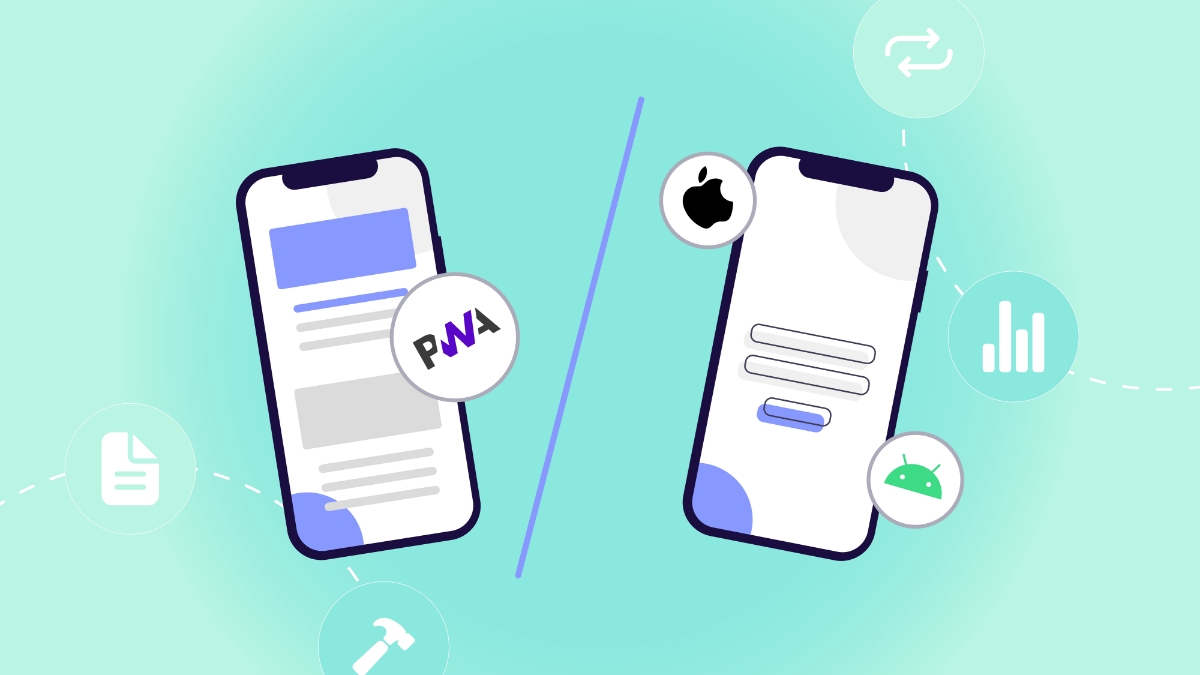
PWA 2.0 (Progressive Web Apps) combined with iOS WebPush Retention solves this operational bottleneck. By leveraging native-like web capabilities introduced in modern iOS updates (iOS 16.4+), media buyers can bypass the App Store entirely, install app shortcuts directly onto an iPhone user’s home screen, capture WebPush permissions, and build a recurring retention channel that drives long-term ROI.
1. The iOS Monetization Crisis: App Store Bans vs. PWA 2.0 Architecture
Historically, running affiliate offers—such as iGaming, Finance, Utilities, Crypto, and E-Commerce—on iOS required cloaked Native Apps submitted to the Apple App Store. This model carries severe operational risks that continuously erode profit margins:
[Native App Store Model]  ──► Cloaking Detection ──► Account Ban (3-5 Days) ──► Lost Push Subscribers & High CAC
[PWA 2.0 Architecture]   ──► Bypasses App Store ──► Permanent Home Screen App ──► Zero Ban Risk & Compound LTV
Core Failure Points of Native App Store Campaigns:
- Short App Lifespan: Apple’s automated static code scanners and manual review teams frequently detect cloaked native apps within 48 to 72 hours of scaling. Every ban wipes out the accumulated push subscriber base and forces media buyers to rebuild campaigns from scratch.
- Prohibitive Infrastructure Costs: Maintaining a continuous supply of aged Apple Developer accounts, app shell development, provisioning profiles, and cloaking software adds thousands of dollars in monthly overhead.
- App Store Funnel Friction: Requiring a user to leave their browser, open the App Store, and wait for a heavy download creates a drop-off rate of 40% to 60% before the user even launches the application.
- Attribution Decay: SKAdNetwork delays post-install conversion reporting by 24 to 72 hours, preventing media buyers from executing real-time bid adjustments on unprofitable publisher zones.
The PWA 2.0 Technical Advantage:
PWA 2.0 delivers an app-like user interface directly from the browser using modern HTML5, CSS3, Service Workers, and Web App Manifests. When executed effectively, a PWA 2.0 instance mimics a native iOS app—featuring full-screen display (display: standalone), offline caching, smooth 60fps animations, custom splash screens, and home screen launch icons—without ever touching the App Store.
2. Psychological Triggers & UX Engineering for iOS “Add to Home Screen” (A2HS) Conversion
Because iOS Safari does not allow web pages to trigger automatic one-click app installs via programmatic JavaScript calls, converting a web visitor into an installed PWA relies on getting the user to complete the Add to Home Screen (A2HS) action.
[User Lands on PWA Pre-Lander]
               │
               ▼
[Interactive Pre-Lander / Gamified Content Preview]
               │
               ▼
[Animated Native iOS Visual Prompt]
  "Tap [Share Icon] ──► Select [Add to Home Screen]"
               │
               ▼
[App Installed on iPhone Home Screen] ──► Full-Screen Launch + WebPush Prompt
High-Converting A2HS UI Design Patterns:
- Native OS Tooltip Animations: Display a sticky, floating UI banner at the bottom of the Safari viewport that mimics Apple’s native Human Interface Guidelines (HIG). Use an animated arrow pointing directly at the Safari Share icon
[↑]accompanied by a clear, two-step visual guide (Step 1: Tap Share | Step 2: Tap Add to Home Screen). - Value-Locked Pre-Lander Access: Require users to complete the lightweight A2HS action to unlock exclusive features, claim a welcome bonus code, access premium trading signals, or view restricted video streams.
- Instant Installation Speed: Because a PWA payload is lightweight (under 2 MB total bundle size), the app shortcut appears on the iPhone home screen in under 2 seconds, delivering instant gratification compared to heavy App Store downloads.
- Contextual Micro-Copy: Use high-urgency, trust-building copy on the install overlay (e.g., “Install official WebApp to secure your $500 bonus pass. No App Store download required.”).
3. iOS WebPush Retention Infrastructure (iOS 16.4+ APNs Mechanics)
Prior to iOS 16.4, Apple blocked WebPush notifications on mobile Safari. Today, any PWA added to an iPhone home screen can request push notification permissions via the PushManager API and receive background push alerts via the Apple Push Notification service (APNs)—just like a native app.
This unlock transforms a single paid impression into a recurring, zero-cost retargeting channel.
[PWA Launched from Home Screen]
               │
               ▼
[System Push Permission Prompt Triggered]
               │
               ├──► User Accepts Permission ──► APNs Subscription Token Captured
               │
               ▼
[Automated Push Drip Sequence Activated]
  ├── Hour 0:   Welcome Bonus / Account Setup Confirmation
  ├── Hour 2:   Urgency Alert (Unclaimed Reward / Signal)
  ├── Hour 24:  Re-Engagement Trigger (Second Deposit / Special Promo)
  ├── Day 7:    Automated Event Drop (Weekly Tournament / Market Shift)
  └── Day 30:   Re-Activation Campaign (VIP Level Upgrade)
Architectural Breakdown of iOS WebPush:
- VAPID Key Pairing: The PWA application server uses Voluntary Application Server Identification (VAPID) key pairs (public/private keys) to sign push requests sent to Apple’s APNs endpoints, establishing secure, authenticated notification channels.
- Service Worker Listening (
sw.js): The background Service Worker runs independently of the web page context. When an APNs push payload arrives, the Service Worker intercepts the event, formats the native iOS notification card (title, body, icon, action URL), and presents it on the lock screen or Notification Center. - Deep-Link Handling: Tapping an iOS push notification activates the Service Worker’s
notificationclickhandler, opening the PWA in standalone mode and navigating directly to a specific offer landing page or deposit screen.
4. Comprehensive 30-Day Automated Push Drip Architecture
Once a user grants push permissions inside the installed PWA, automated server triggers execute segmented re-engagement workflows tailored to the user’s conversion state:
┌────────────────────────────────────────────────────────────────────────┐
│                   Segmented 30-Day Retargeting Engine                  │
│                                                                        │
│  [Push Token Captured]                                                 │
│            │                                                           │
│            ├── Non-Registered Users   ──► Educational & Bonus Alerts   │
│            ├── Non-Depositing Signups ──► Limited-Time Match Offers    │
│            └── Active VIP Depositors   ──► Tournament & Staking Alerts │
└────────────────────────────────────────────────────────────────────────┘
Automated Messaging Drip Breakdown:
- Stage 1: Immediate Onboarding (0–2 Hours): Fires immediately after permission is granted. Confirms account setup and delivers the value promised on the pre-lander (e.g., “Your 200% bonus code is active inside the app. Tap to claim now.”).
- Stage 2: Conversion Push (24–48 Hours): Targets users who completed registration but did not complete a First Time Deposit (FTD) or purchase. Employs loss-aversion messaging (e.g., “Your welcome bonus expires in 4 hours. Deposit $10 to unlock your match.”).
- Stage 3: Habituation & Retention (Days 3–14): Sends periodic alerts aligned with user interests—such as live match updates for sports betting, market volatility alerts for crypto trading, or new product drops for e-commerce.
- Stage 4: Win-Back Re-Activation (Days 15–30): Triggers re-engagement offers for inactive users (e.g., “We added a $20 free bet to your account. Log in to claim before Sunday.”).
By driving secondary and tertiary conversions at zero additional media cost, push retention lowers effective CPA by 40% to 65% over a 30-day window.
5. Technical Attribution & Parameter Persistence Across PWA Sessions
A major technical challenge in PWA marketing is maintaining user attribution parameters (click_id, subid, campaign source) when a user transitions from mobile Safari to the standalone PWA environment on their home screen.
[Browser Session] ──► URL Parameters (`click_id=XYZ`) ──► Saved to IndexedDB / LocalStorage
                                                                  │
                                                                  ▼
[Standalone PWA Session] ◄── Retrieve `click_id=XYZ` ◄──────────────┘
Parameter Persistence Strategy:
- Initial Parameter Capture: When the user lands on the PWA pre-lander in Safari, custom JavaScript extracts all tracking parameters (
click_id,zone_id,campaign_id) from the URL query string. - Storage in LocalStorage & IndexedDB: Parameters are written to both
window.localStorageandIndexedDB. In addition, parameters are dynamically appended to the Web App Manifest’sstart_urlproperty using dynamic Blob generation or server-side manifest rendering. - Standalone Session Hydration: When the user launches the PWA from their home screen, the standalone app reads the persisted parameters from
IndexedDBor the manifeststart_urland appends them to all internal offer links and API postback requests. - Server-to-Server (S2S) Postback Bridging: Conversion events executed inside the PWA fire S2S postback calls back to the ad network tracker using the preserved
click_id, guaranteeing 100% accurate attribution.
6. Full-Cycle Funnel Workflow: From Impression to LTV
Executing a complete PWA 2.0 campaign requires integrating traffic acquisition, bridge pre-landers, PWA installation, and automated retargeting into a unified pipeline:
┌────────────────────────────────────────────────────────────────────────┐
│                     Full-Cycle PWA 2.0 Monetization                    │
│                                                                        │
│  [Traffic Source: Native / In-Page Push]                               │
│            │                                                           │
│            ▼                                                           │
│  [PWA Interactive Pre-Lander] ──► Educates & Prompts A2HS             │
│            │                                                           │
│            ▼                                                           │
│  [PWA Added to iOS Home Screen]                                        │
│            │                                                           │
│            ├──► Initial Monetization: User completes First Action       │
│            │                                                           │
│            └──► Push Retention: Automated Drip Drives 2nd & 3rd Actions  │
└────────────────────────────────────────────────────────────────────────┘
Step-by-Step Campaign Flow:
- Traffic Acquisition: High-intent Native In-Feed ads or targeted In-Page Push notifications capture the initial iOS click at a low CPC.
- PWA Bridge Pre-Lander: The user lands on a fast-loading, responsive web page that introduces the offer narrative and provides clear instructions for adding the app to the home screen.
- PWA Launch & Push Opt-In: The user launches the PWA from their home screen. The app opens in standalone full-screen mode (hiding Safari browser UI) and immediately displays the native OS push permission prompt.
- Primary Offer Conversion: The user is redirected to the primary advertiser offer page inside the full-screen PWA environment to complete their initial deposit or purchase.
- Secondary Push Retargeting: The background Service Worker receives automated push messages over the next 30 to 90 days, bringing the user back to the app repeatedly to generate ongoing LTV.
7. Performance Benchmarks: Native App Store Apps vs. PWA 2.0 Stack
Data compiled across high-volume performance campaigns targeting Tier-1 iOS traffic demonstrates the operational superiority of the PWA 2.0 framework:
| Campaign Metric | Native App Store Apps | PWA 2.0 + Push Retention Stack | Performance Delta |
| App Account Ban Risk | High (Every 3–5 Days) | Zero (Independent of App Store) | Infinite Longevity Lift |
| Infrastructure Setup Cost | $1,500 – $3,000 / Month | < $100 / Month (Hosting & Domain) | 95%+ Cost Reduction |
| Click-to-Install Conversion Rate | 12% – 18% (App Store Drop-off) | 32% – 48% (Fast A2HS Flow) | 2.6x Higher Install Yield |
| Push Permission Accept Rate | 55% – 65% | 68% – 82% (Full-Screen Context) | +23% Opt-In Growth |
| Average Campaign Lifespan | 5 Days Average | 90+ Days (Uninterrupted Scaling) | 18x Extended Lifespan |
| Effective CPA (eCPA) | $45.00 Baseline | $18.20 | -59.5% Acquisition Cost |
| 30-Day User LTV Expansion | Moderate (App Banned Early) | High (+140% Compound Return) | +140% Revenue Expansion |
8. Media Buyer Deployment & Technical Implementation Checklist
Follow this operational framework to build, test, and scale PWA 2.0 campaigns for iOS traffic:
- [ ] Configure Valid Web App Manifest: Ensure your
manifest.jsonincludesdisplay: standalone, high-resolution icons (192×192 and 512×512 PNGs), background colors, and dynamicstart_urlparameters. - [ ] Register Service Worker: Verify that your
sw.jsService Worker script handles push event listening, background caching, dynamic route fetching, and notification click handling. - [ ] Design Custom iOS A2HS Tooltips: Implement native-looking Safari share prompts pointing directly to the browser bottom bar on iOS viewports.
- [ ] Implement Dual Storage Parameter Sync: Persist
click_idand attribution tokens in bothLocalStorageandIndexedDBupon initial page render. - [ ] Set Up APNs VAPID Keys: Generate VAPID key pairs and connect your push server endpoint to transmit encrypted payloads to Apple Push Notification service servers.
- [ ] Establish Automated Push Drip Workflows: Create segmented push trigger rules (0-hour, 24-hour, 72-hour, 7-day) based on user conversion stage.
- [ ] Test Across iOS Builds: Verify PWA layout rendering and WebPush permission triggers on iOS 16.4, iOS 17, and the latest iOS versions.
- [ ] Optimize Initial Page Payload: Keep total PWA bundle size under 2 MB to guarantee sub-second initial rendering on mobile cellular networks.
Unlocking predictable, long-term profits from iOS traffic requires breaking free from the App Store ban cycle. By deploying PWA 2.0 with automated Push Retention, performance marketers build bulletproof iOS funnels, lower acquisition costs, and maximize player Lifetime Value.
Conclusion
Native App Store campaigns on iOS carry costs that are hard to scale around: short app lifespans, constant account rebuilds, expensive infrastructure and a download step where up to 60% of users drop off. Mobile web alone cannot replace them, because Safari’s ITP limits attribution and SKAdNetwork delays conversion data.
PWA 2.0 combined with iOS WebPush closes that gap. A lightweight web app on the home screen removes the App Store from the funnel. Push permissions turn one paid click into a retention channel with no extra media cost. Persisting click_id across the Safari-to-standalone transition and firing S2S postbacks keeps attribution measurable. In the campaigns compiled here, this stack delivered a 59.5% lower eCPA, a 32-48% click-to-install rate and a 90+ day average campaign lifespan.
| Challenge | Native App Store Approach | PWA 2.0 + WebPush Solution | Benchmark Result |
|---|---|---|---|
| Distribution risk | Review and bans every 3-5 days | No App Store dependency | 90+ day average lifespan |
| Setup cost | Developer accounts, app shells, provisioning | Hosting, domain, manifest, service worker | Under $100/month vs. $1,500-$3,000 |
| Install friction | Store redirect and heavy download | Guided Add to Home Screen, under 2 MB | 32-48% click-to-install |
| Attribution | SKAN delay of 24-72 hours | click_id in IndexedDB and start_url, plus S2S postbacks | Real-time event tracking |
| Retention | Lost when the app is banned | Segmented 30-day push drip via APNs | 68-82% push opt-in rate |
| Acquisition cost | $45.00 eCPA baseline | Secondary conversions at zero media cost | $18.20 eCPA (-59.5%) |
The takeaway for media buyers is to build an owned retention asset instead of renting a short-lived app. Start with a valid manifest and service worker, add a clear A2HS flow, persist your parameters in two storage layers, and segment the push drip by conversion stage.
FAQ
1. What is a PWA 2.0 and how does it work on iOS?
A PWA (Progressive Web App) is a web application that runs full-screen from the home screen using a Web App Manifest and a Service Worker. On iOS 16.4 and later, installed PWAs can also receive push notifications, so they behave much like a native app without an App Store listing.
2. How do users install a PWA on an iPhone?
Safari does not allow a one-tap programmatic install. The user taps the Share icon and then “Add to Home Screen.” Conversion therefore depends on UX: a clear animated two-step prompt, a fast pre-lander and a reason to install, such as unlocking a feature or content.
3. Do iOS WebPush notifications work in regular Safari tabs?
No. Push works only for PWAs that have been added to the home screen. The permission prompt must also be triggered by a user action, such as a tap on a button, so design a clear opt-in step inside the installed app rather than relying on an automatic prompt.
4. How can I keep attribution when a user moves from Safari to the installed PWA?
Capture click_id, subid and campaign parameters on the pre-lander and store them in both LocalStorage and IndexedDB. You can also add them to the manifest start_url through server-side manifest rendering. The standalone app then reads these values and attaches them to offer links and S2S postbacks.
5. How should I structure a push retention sequence?
Segment users by conversion stage. Send a welcome message in the first 0-2 hours, a conversion reminder at 24-48 hours, interest-based updates between days 3 and 14, and a win-back offer between days 15 and 30. Keep messages relevant and honest, and give users an easy way to opt out, which protects opt-in rates and long-term deliverability