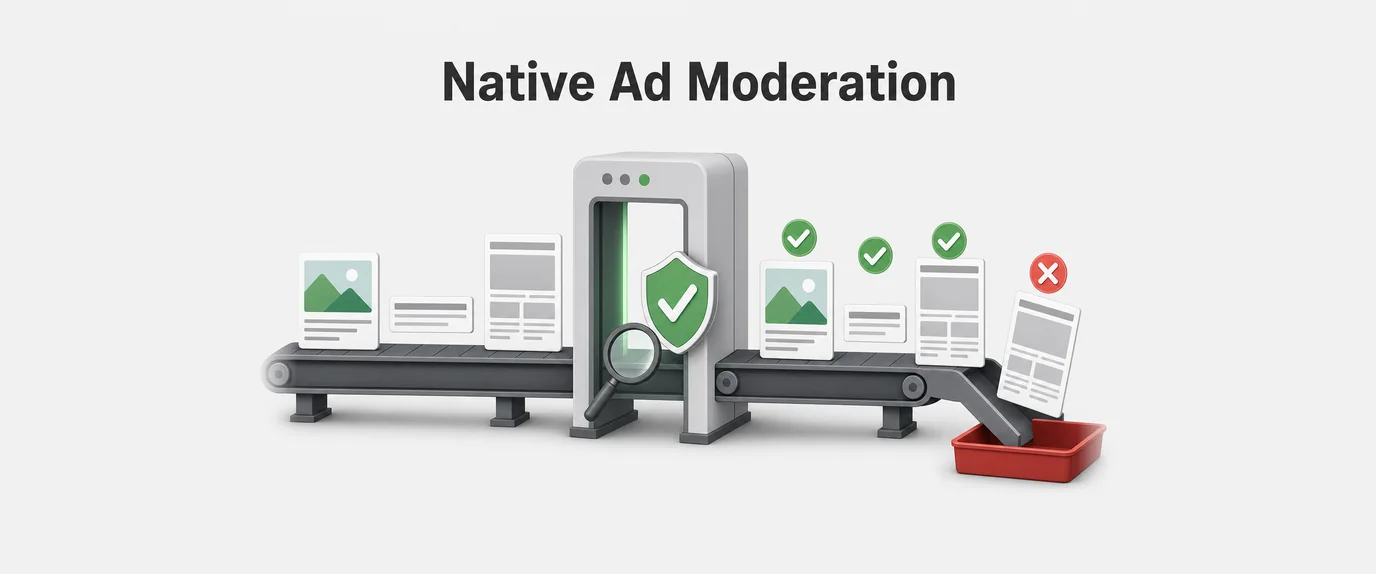
If you ask any Tier-1 media buyer or iGaming team owner about their biggest pain point, the answer will be unanimous: iOS traffic. Apple users traditionally generate the highest deposits (LTV), but access to this audience has historically been locked behind the Iron Curtain of the App Store ecosystem and its draconian moderation policies.
Just a couple of years ago, affiliates had to burn tens of thousands of dollars on developing and renting WebView apps. These apps would survive in the store for 2-3 days before being mercilessly banned by Apple’s algorithms. Buying iOS traffic felt like playing Russian roulette: Cost Per Install (CPI) went through the roof, ad campaigns were constantly halted, and ROI often plunged deep into the red because it was impossible to follow up with the audience after the app was banned.
In 2026, the rules of the game have radically changed. The technology of Progressive Web Apps (PWA), coupled with native support for Web Push notifications on iOS, has become the absolute game-changer.
In this article, we will break down exactly how tech-savvy media buying teams have permanently abandoned the App Store, stopped paying for app rentals, and started consistently generating 250%+ ROI by building their own independent Push subscriber bases using the GTaro Ads infrastructure.
Part 1. The Math: The Failure of WebView vs. The Triumph of PWA on iOS
To understand the scale of this revolution, let’s look at the unit economics of a classic App Store campaign compared to a PWA funnel in the reality of 2026.
Scenario A: Classic WebView Apps (Legacy Approach)
- App Costs: Renting or buying a developer account + coding = $500 to $2,000 per app.
- Lifespan: 2 to 7 days before being banned.
- Funnel: Click ➔ App Store Redirect (losing 30% of users) ➔ Download (losing another 20% to wait times) ➔ Open ➔ Deposit.
- Retargeting: Once the app is banned in the App Store, Push tokens often disconnect, and communication with the player is lost. If they didn’t deposit on day one, you’ve lost the lead forever.
Scenario B: PWA Technology (2026 Approach)
- App Costs: $0 (A PWA is simply a properly configured website).
- Lifespan: Infinite. You can change the domain, but the PWA itself cannot be banned from the user’s device.
- Funnel: Click ➔ Landing Page ➔ Tap “Add to Home Screen” ➔ Instant Install ➔ Deposit.
- Retargeting: Total control. You build your own Push subscription base that belongs entirely to you, not to a rental app owner.
Part 2. How iOS Surrendered: The Technological Breakthrough
For years, Apple deliberately blocked Web Push notifications in the Safari browser to protect its App Store monopoly. But under the pressure of EU antitrust laws (the Digital Markets Act) and the evolution of global web standards, the dam finally broke.
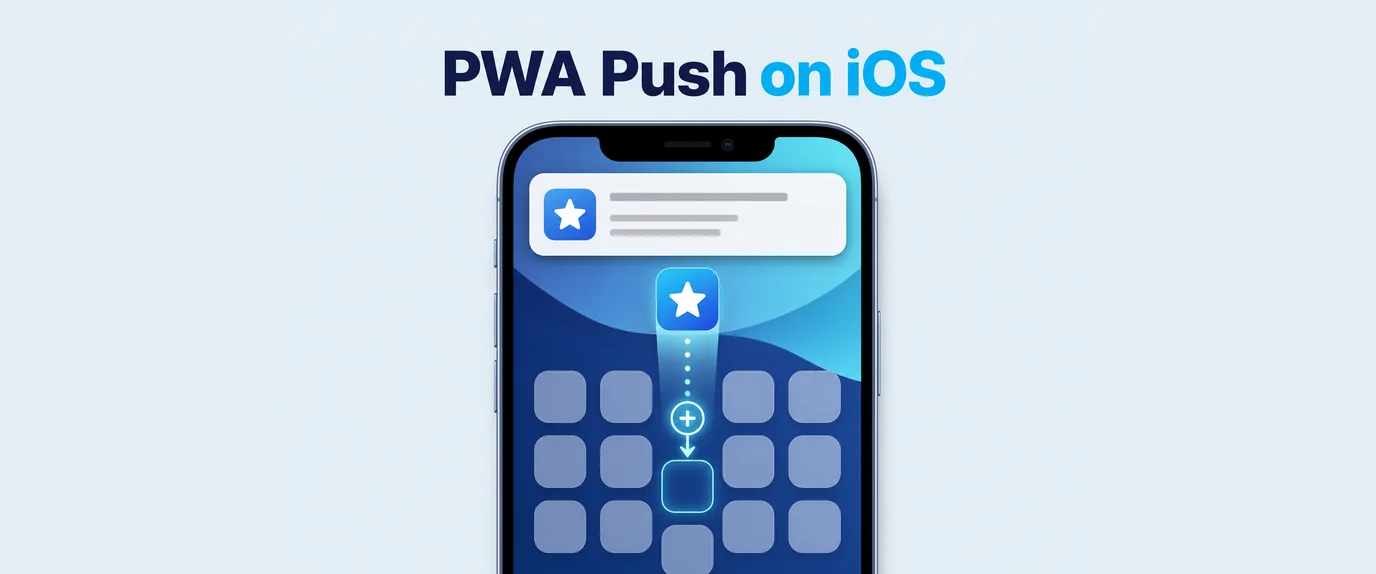
Starting with iOS 16.4 and reaching perfect stability by iOS 19 in 2026, Apple has fully enabled Web Push notifications for web applications added to the Home Screen.
To the user, a PWA looks and feels 100% like a fully native app from the App Store:
- It has its own icon on the smartphone’s home screen.
- It opens in full-screen mode without the Safari address bar (Standalone mode).
- It integrates seamlessly into system multitasking (app switching).
- Most importantly: It legitimately requests permission for Push notifications and delivers them directly to the iPhone Lock Screen with sound and vibration.
Part 3. The 250% ROI Funnel Architecture: From Click to First Time Deposit (FTD)
The math of iGaming media buying is brutal: you almost never make a profit on the first deposit (FTD). The Cost Per Acquisition (CPA) of an active player in Tier-1 GEOs (Australia, Canada, UK) often exceeds the initial payout from the advertiser.
All the super-profits are generated through Retention—when a player makes their second, fifth, and tenth deposits (LTV). And this is exactly where your iOS push base becomes your personal money-printing machine.
The Ideal PWA Funnel:
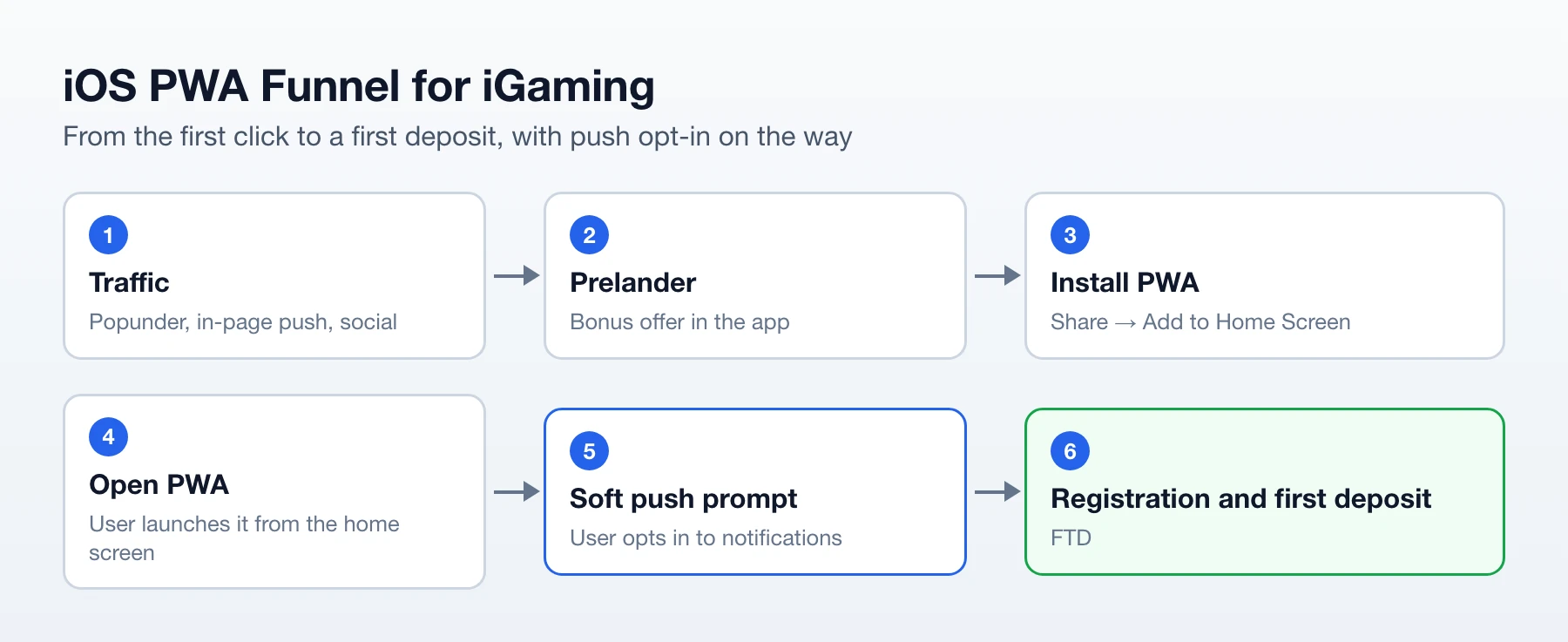
Step 1. Aggressive Yet Intuitive Onboarding
Since Apple requires the PWA to be added to the home screen before it can request push permissions, your prelander must focus entirely on one goal: getting the user to install it.
The Working Approach: The Motivator Tutorial. The user should not see a casino registration form in the browser. They should see a vibrant UI: “A massive jackpot is only available in our app! Tap the [Share] button at the bottom of the screen and select [Add to Home Screen] to claim your bonus.” A dynamic animated arrow (adapting to the specific iOS version and screen size) must point directly to the Safari system button.
Step 2. Mimicking Native UX/UI
The biggest mistake rookies make is letting their PWA look like a regular website. To retain the user, the interface must be flawless:
- Disable Bouncing: Add the CSS property
overscroll-behavior-y: none;to thebody. This prevents the user from “pulling” the page down, which instantly exposes the PWA’s browser nature. - Skeleton Loading: When the PWA opens, do not show a blank white screen. Display the structure of the upcoming interface. This creates the illusion of instantaneous native app loading.
- Disable Text Selection: Use
user-select: none;—users shouldn’t accidentally highlight text while tapping on slots.
Step 3. The Subscription Trigger (Opt-in)
As soon as the user opens the installed PWA from their home screen, do not trigger the system push alert immediately! The rejection rate will exceed 60%. Use a Soft Prompt (an internal PWA dialog box): “Allow notifications so we can send you a personal promo code for 50 Free Spins right now.” Only after the user taps “Yes” inside your UI should you trigger the native iOS system alert. With this approach, opt-in conversion rates shatter the ceiling at 75-85%.
Part 4. AI-Retargeting Magic: How a Push Base Multiplies Profits
You paid for the click once. The user installed your PWA and opted into notifications. Now, you own a free, unlimited channel of direct communication with an iPhone owner.
Using the machine learning algorithms of the GTaro Ads platform, advanced media buyers launch automated Push Sequences:
- Pushing for Registration (After 30 minutes): If your S2S pixel shows that the user opened the PWA but didn’t register, a push flies in: “Your 250 free spins expire in one hour! Hurry and claim your bonus.”
- Predictive FTD: If the user registered but didn’t deposit, the AI analyzes their GEO and activity hours. The “We will double your first deposit!” push arrives exactly when the user is most likely holding their phone (e.g., Friday evening after work).
- Cross-sell and Reactivation: If a player burns out on the current casino (hasn’t logged in for over 7 days), you don’t lose them. You send a Push notification to your base with a link to a different gambling brand or a major betting event (like the Champions League final).
The Financial Result: You are no longer dependent on ad networks to touch the user a second time. You pull the user back into the app over and over again, for free. Player LTV multiplies by 3-4 times, generating pure super-profits.
Part 5. PWA iOS Technical Checklist (2026 Edition)
For iOS to recognize your landing page as a full-fledged app and unlock the Web Push API, your asset must strictly comply with Apple’s technical standards. Here is the baseline checklist for your front-end developer:
1. The Perfect Web App Manifest (manifest.json)
This file must be linked in the <head> of your site:
"display": "standalone"— critically important for full-screen mode without the browser UI."name"and"short_name"— the app name (max 11-13 characters so it doesn’t get truncated on the home screen).- Icons: Apple is highly particular about icons. You must have an array of icons (192×192, 512×512) strictly in PNG format with no transparent backgrounds (transparency renders as solid black on iOS).
2. Service Worker (sw.js)
The Service Worker is the script beating at the heart of your PWA. It allows the app to work offline, cache heavy slot graphics, and receive Push notifications even when the app is purged from the iPhone’s RAM. Ensure your SW correctly handles the push event and uses the self.registration.showNotification() method.
3. Apple-Specific Meta Tags
Add these meta tags to your <head> section so the OS correctly renders the top status bar (where the clock and battery are) and the splash screen:
<meta name="apple-mobile-web-app-capable" content="yes">
<meta name="apple-mobile-web-app-status-bar-style" content="black-translucent">
<link rel="apple-touch-icon" href="/icon-192x192.png">
4. Security (HTTPS and TLS 1.3)
Apple strictly blocks Service Worker registration over HTTP connections. Ensure your SSL certificate is valid and your hosting supports the TLS 1.3 protocol for instant handshakes and blazing-fast loading.
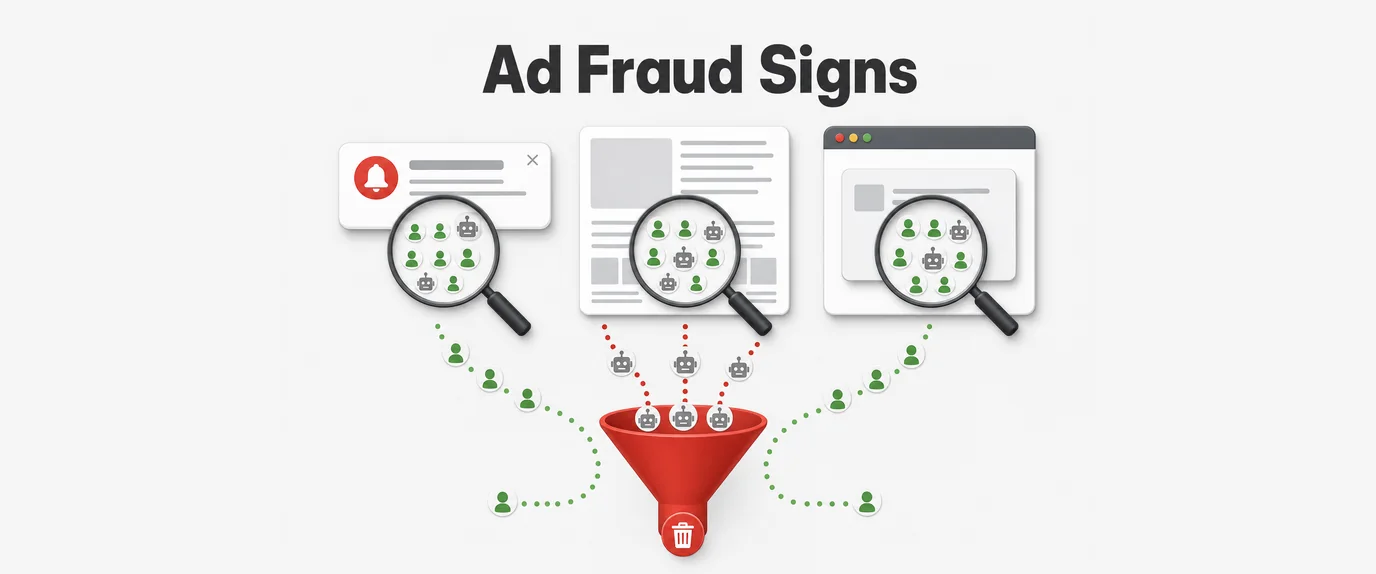
Part 6. Protecting Your PWA Funnel: Cloaking and Beating SPY-Services
A PWA lives forever in the Apple ecosystem, but it is highly vulnerable to your competitors and SPY services (like Adplexity or Anstrex). If your funnel and killer prelander design get exposed, they will be ripped off within 24 hours, overheating your auction.
How to technically protect a PWA funnel in 2026:
- Dynamic Manifest.json Generation: Set up a cloak (server-side script) so that the
manifest.jsonfile and Service Worker are served only to real mobile iOS devices (verified via User-Agent + Fingerprinting). If a bot, moderator, or desktop user visits, the server serves an empty JSON or redirects them to a white-hat blog about casual gaming. - Hiding Installation Instructions (Conditional Rendering): The animation pointing to the “Share ➔ Add to Home Screen” button must render only if the device is currently inside the Safari browser. If the parameters indicate the site is already in
standalonemode (meaning it’s opened as an installed PWA), the script must instantly hide the tutorial and display the casino registration UI. - IP Blacklisting & Gyroscope Analysis: Cutting-edge trackers and anti-fraud systems filter out spy bots by looking for a lack of gyroscope data. If a device loads the page but the accelerometer transmits zero micro-movement data in 3D space, it’s a server emulator. Access to the PWA is instantly blocked.
Conclusion
2026 has finally buried the concept of “renting WebView apps” on iOS for smart media buying teams. Fighting App Store moderation no longer makes economic sense when you have direct, legal, and free access to the user’s home screen.
Progressive Web Apps (PWA) combined with native iOS Web Push is the most highly technological and high-margin method for monetizing the most expensive mobile traffic in the world. By building your own push subscriber bases, you transform one-off affiliate traffic into a foundational, long-term asset. This asset allows you to squeeze users for repeat deposits for years, delivering a level of ROI that is utterly unattainable through classic direct-link traffic routing.
Stop feeding the app stores and app sellers. Deploy PWAs, integrate the smart notification algorithms from GTaro Ads to automate retargeting, and seize a total monopoly on iOS traffic in your target GEOs!
To clearly understand why top-tier teams have completely abandoned the legacy model, review the performance comparison below:
| Metric / Feature | Legacy WebView Apps | Modern iOS PWA (GTaro Ads) |
| Setup Cost | $500 – $2,000+ per app account | $0 (Configured directly on web assets) |
| Lifespan | 2 to 7 days (High risk of sudden bans) | Infinite (Independent of App Store policies) |
| Audience Ownership | Lost entirely once the app is banned | 100% owned subscriber base via Web Push |
| Funnel Friction | High (App Store redirect → download delays) | Low (Instant “Add to Home Screen” install) |
| Retargeting Power | Limited/Unstable (Tokens disconnect upon ban) | Automated, direct-to-lock-screen AI sequences |
| Average Campaign ROI | Often volatile or negative due to scaling limits | Consistently scaling up to 250%+ ROI |
Frequently Asked Questions (FAQ)
1. Are PWA push notifications fully supported on all iOS devices?
Yes. Starting with iOS 16.4 and reaching full technical maturity in modern versions like iOS 19, Apple natively supports Web Push notifications for web applications added directly to the Home Screen. Users receive notifications straight to their iPhone Lock Screen with sound and vibration, just like native App Store apps.
2. How do I prevent my PWA funnel from being stolen by competitors and spy tools?
You can protect your assets using server-side cloaking, dynamic manifest generation, and conditional rendering. By serving your manifest.json and PWA installation scripts exclusively to verified mobile iOS devices via User-Agent and fingerprinting checks, you block desktop scrapers, moderators, and automated spy tools from copying your funnel.
3. Why is a “Soft Prompt” necessary before triggering the native iOS push permission?
If you trigger the native iOS system permission alert immediately when the app opens, rejection rates can spike above 60%. Using an internal PWA soft prompt first (explaining the value of opting in, such as an instant bonus) builds user trust and pushes opt-in conversion rates to an impressive 75–85%.
4. How does GTaro Ads help maximize player LTV in a PWA funnel?
GTaro Ads utilizes advanced machine learning algorithms to automate your retargeting sequences. It predicts the optimal time to send push notifications based on user activity hours and player behavior, driving users back to the funnel for secondary deposits, cross-selling new brands, or reacting dormant players