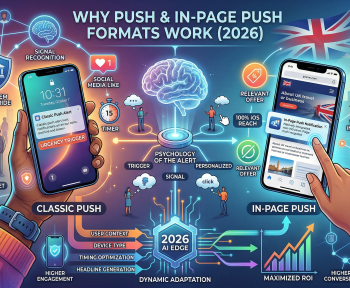
Push notification ads on desktop and mobile differ mainly in display size, subscriber volume, and user behavior: desktop push shows larger images with longer visible text and tends to perform on finance/software offers, while mobile push delivers higher overall volume, shorter copy, and stronger results on sweepstakes, utilities, and dating verticals. Choosing between them — or combining both — depends on the vertical, GEO, and budget of the campaign.
What Are Push Notification Ads
Push notification ads — this is a browser-based ad format delivered directly to a user’s desktop or mobile device after they opt in (usually via an “Allow notifications” prompt), appearing as native-style system notifications even when the browser is closed.
Subscriber base — this is the pool of opted-in users a publisher or network has accumulated, segmented typically by device type, GEO, and OS.
Opt-in rate — this is the percentage of website visitors who accept the notification permission prompt, a key metric that determines how fast a subscriber base grows.
Because delivery happens through the OS notification system rather than inside a browser tab, push ads reach users even after they’ve left the original website — a key structural advantage over most other ad formats.
Desktop Push Ads: Core Characteristics
On desktop, push notifications appear in the corner of the screen (top-right on Windows, top-right or top-left on macOS depending on browser), typically staying visible for several seconds before minimizing to a notification center.
An expert observation worth noting: media buyers commonly report that desktop push audiences skew toward users researching purchases at a desk — which is why finance, e-commerce, and software offers often outperform on this format compared to mobile.
Typical desktop push traits:
- Larger notification image (192×192px icon plus a bigger preview image is common)
- More visible ad copy — title and description both display fully in most cases
- Lower overall subscriber volume compared to mobile
- Stronger fit for higher-intent, research-driven verticals
Mobile Push Ads: Core Characteristics
Mobile push notifications appear directly in the device’s notification tray, alongside app alerts, and are usually opened with a single tap. Because mobile browsing volume is significantly higher globally, mobile push subscriber lists typically grow faster than desktop ones.
Typical mobile push traits:
- Smaller display area — shorter title and description recommended
- Much higher subscriber volume across most GEOs
- Strong performance on impulse-driven verticals (sweepstakes, dating, utilities, subscriptions)
- Higher click volume, though individual CTR can vary by OS and carrier
Desktop vs Mobile Push Ads: Side-by-Side Comparison
| Criteria | Desktop Push | Mobile Push |
|---|---|---|
| Notification size | Larger image + longer text | Compact, shorter text |
| Typical subscriber volume | Lower | Significantly higher |
| Best-fit verticals | Finance, software, e-commerce | Sweepstakes, dating, utilities |
| User context when clicked | Often at a desk, higher intent | On the go, more impulse-driven |
| Creative recommendation | Detailed copy, clear CTA | Short, punchy, curiosity-driven |
| Delivery consistency | Depends on OS notification settings | Depends on OS + carrier restrictions |
How to Choose Between Desktop and Mobile Push for a Campaign
- Match the format to the vertical. Finance and B2B offers often lean desktop; sweepstakes and dating typically lean mobile.
- Check GEO device distribution. In many tier-2 and tier-3 markets, mobile traffic dominates by a wide margin.
- Test both with a split budget. Running a small test batch on each device type reveals actual CTR and conversion differences for your specific offer.
- Adjust creative length per device. Shorter mobile copy and more detailed desktop copy generally outperform a single one-size-fits-all creative.
- Monitor time-of-day patterns. Desktop push often peaks during work hours; mobile push activity is more spread across the day.
Combining Push With Other Formats
Push rarely runs in isolation — many multi-GEO campaigns layer it alongside other formats. Push ads pair well with popunder and clickunder ads for building subscriber lists at scale, while native ads and banner ads can be used to retarget users who engaged with a push notification but didn’t convert immediately.
For campaigns spanning multiple countries and devices at once, routing push traffic through smartlink advertising removes the need to manually pick a desktop or mobile offer for every GEO — the system handles it automatically based on the visitor’s device and location.
Advertiser and Publisher Considerations
Advertisers buying push traffic through an ads network for advertisers platform can typically filter campaigns by device type at setup, allowing separate bids and creatives for desktop and mobile segments. Programmatic buyers can further refine this through real time bidding for advertisers, adjusting bids per device in real time as performance data comes in.
Publishers monetizing push inventory through an ads network for publishers program generally see mobile subscriber counts grow faster, though desktop subscribers often carry higher average payouts in select verticals. Mobile-focused publishers running apps can extend this monetization further with an android SDK for publishers, which brings push-style notification monetization directly into the app environment.
Common Mistakes to Avoid
- Using identical creatives for both devices — ignores the space and behavior differences between formats.
- Ignoring device-level bid adjustments — desktop and mobile often convert at different rates for the same offer.
- Underestimating mobile OS restrictions — some mobile OS versions limit or batch notifications, affecting delivery timing.
- Skipping frequency capping — over-sending push notifications on either device quickly raises unsubscribe rates.
Frequently Asked Questions
What is the difference between desktop and mobile push ads? Desktop push ads show larger images and longer text as browser notifications on computers, while mobile push ads appear in the phone’s notification tray with shorter text but higher volume.
Which converts better, desktop or mobile push ads? It depends on the vertical — desktop tends to work well for finance and software offers, while mobile generally wins on volume and fits sweepstakes, utilities, and dating better.
Do users need to install an app to receive push ads? No, push ads are delivered through the browser after a user opts in on a website, so no app installation is needed.
Why do mobile push ads have higher volume than desktop? Mobile push volume is higher because far more users browse on smartphones than desktops, so mobile subscriber lists grow faster in most GEOs.
Can the same creative be used for both desktop and mobile push? It’s possible, but separate creatives usually perform better since desktop allows longer copy while mobile needs shorter, more direct messaging.
Is push notification advertising still effective in 2026? Yes, since subscribers have actively opted in, push ads generally see stronger engagement than many other formats, especially when segmented by device and GEO