
Short answer: Compare popunder ad networks by what you can verify: source reports, tracking, targeting, spending limits and landing page rules. Get each platform’s definition of a paid event before you deposit, then run a limited test with working conversion tracking and a written stop rule.
Checked: October 2026
Ready to launch? The step-by-step guide to buying popunder traffic covers the first campaign, tracking and quality checks.
What popunder ads are and how they open
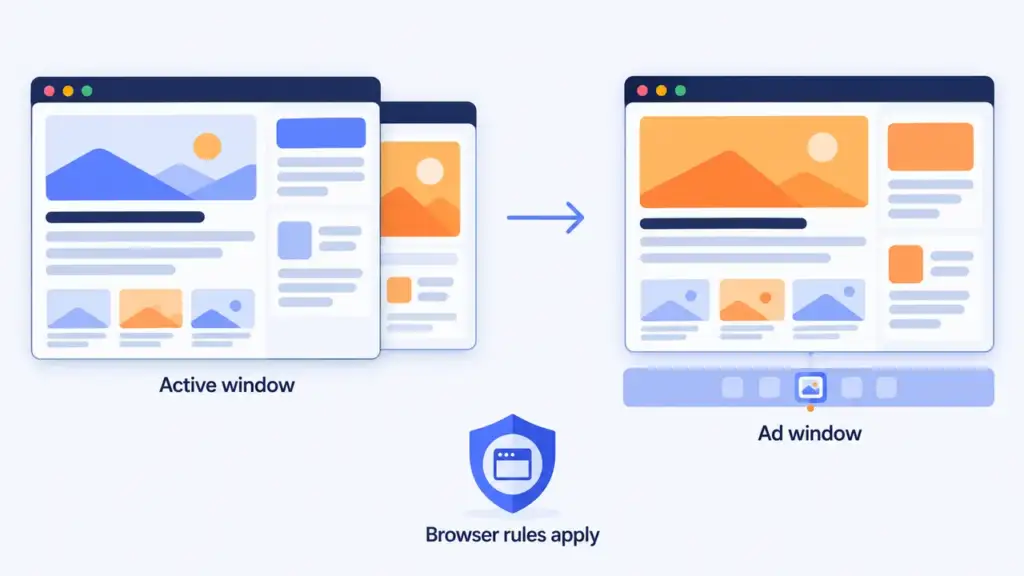
A popunder is an advertising page opened behind the active browser window. The visitor may see it after moving away from or closing the foreground window. A popup opens in front instead. An opened page is not proof of attention.
Wikipedia describes a pop-under as a new browser window opened under the active window, which appears when the user closes the covering window. MDN says modern browsers have strict popup blocker policies and that popup windows must be opened in direct response to user input, so a browser can block an opening. Preview the ad on the devices and browsers you plan to target.
What a popunder ad network does
The IAB describes ad networks as a way to aggregate inventory from many sources in a single buying opportunity for media buyers. For your comparison, treat the network as a set of buying controls: where traffic comes from, which opportunities qualify, how you pay and which results you can inspect.
Ask the provider to explain its inventory chain: does it work directly with publishers, buy through partners, or both? A sample report with source and placement identifiers shows whether you can isolate a weak placement. A label such as “global traffic” does not.
Two questions decide the choice: can the platform deliver your targeting, and can you measure whether that delivery supports your goal?
What to check before choosing a network
Traffic sources and placement controls
Get a report export before funding the account, with source IDs, placement IDs, spend, paid events and timestamps. Find out what each ID represents and whether it stays consistent between reports.
Look for the option to exclude one placement or buy only a saved group, and for whether direct and partner traffic can be separated. If the provider cannot expose site names, decide whether its identifiers still give you enough control, and note the limit in your comparison sheet.
Targeting that matches the offer
Start from your offer’s terms: is pop traffic permitted, and which countries, languages, devices, operating systems and age requirements apply? Compare that list with the network’s settings.
A country filter alone does not prove the page language fits the visitor. Preview the destination on the intended device, drop unsupported combinations before launch, and find out what happens when a requested audience has little inventory.
For a first test, pick a vertical whose conversion you can verify. A submitted form and an approved lead are different review points, so learn when the offer owner reports approvals or reversals and build that delay into your plan. Do not pick a country because someone else’s case study reports strong returns.
Frequency, bots and traffic anomalies
Frequency capping limits how often ads are shown to the same person within a defined period. Ask which event increments the counter, whether the cap applies to a campaign or a publisher, and when it resets. Not every paid event is a new person.
IAB Tech Lab describes filtering known spiders and bots as one step toward correct counts for ad events. That is a starting point, not proof that a network removes every invalid visit. Find out what filtering happens before billing, how to submit a disputed source, the claim deadline and the evidence required.
In your own reports, watch for sudden source-level changes, missing identifiers and unexplained event patterns. Rule out tracking and destination problems first, then save evidence and follow the provider’s dispute procedure. Weak conversion results alone do not show that traffic is automated.
Account terms and compliance
Read the deposit, refund and balance terms before paying, including payment fees, settlement currency, unused-balance restrictions and inactivity conditions. Keep a copy of the terms you reviewed.
Read the network’s rules for your offer category, destination and target country: redirects, downloads, subscriptions and required disclosures, plus the offer owner’s own paid-traffic rules. For US campaigns, the FTC says advertising claims must be truthful, nondeceptive and supported by evidence; other jurisdictions have their own requirements. Network approval does not replace a privacy and tracking review by the person responsible for compliance.
Which popunder ad network is best for advertisers?
No single network is best for every advertiser. The best fit is the one that passes your checks: reports with source and placement IDs, targeting that matches your country, device and offer, spending limits with the option to exclude a placement, and account terms and compliance rules you accept. Confirm this with a sample report and a limited test with working conversion tracking, then compare results under the same test conditions.
Build the tracking path before you spend
Map the source macros
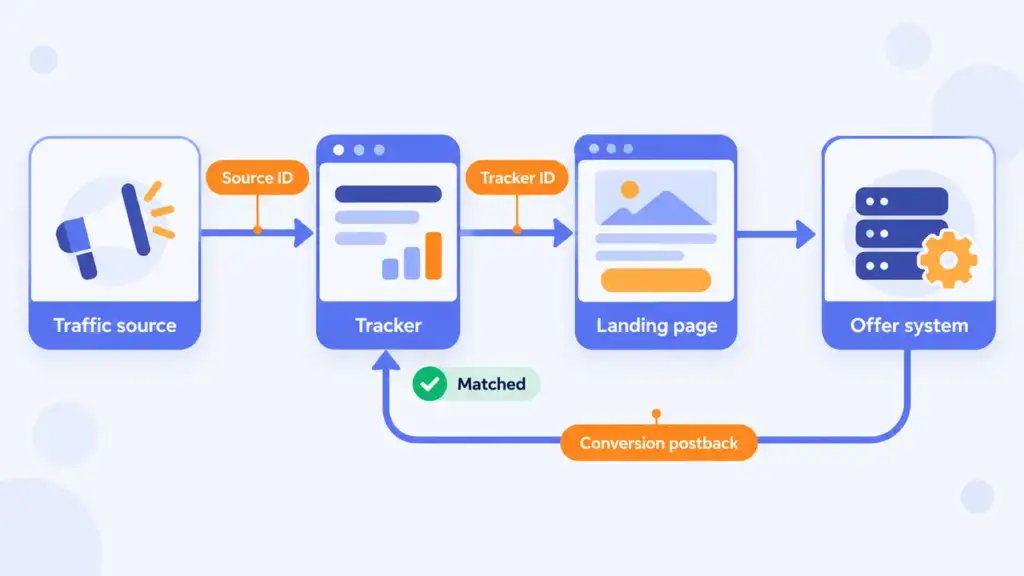
A macro is a placeholder that a platform replaces with a value. Use the network’s current macro documentation rather than placeholders copied from another platform, and map the supported fields into your tracker: campaign ID, source ID, placement ID, an external click ID and cost where available.
Send an authorized test visit through the whole path and make sure real values replace the macros, not unresolved placeholder text. Establish whether “source” means a publisher, a partner feed or another grouping. Keep the network’s external click ID separate from the tracker’s own visit ID, and copy the exact parameter names each system requires.
Connect the conversion postback
A server-to-server postback reports a conversion through a server request. In a supported setup, the offer system returns the tracker’s identifier so the tracker can link the event to the original visit. Follow the documentation for your tracker and offer platform on identifier mapping, conversion status and duplicate handling. If you also send conversions back to the traffic source, it needs its own expected identifier.
Run an authorized test conversion and inspect the logs: source, placement and conversion should appear together. A page that loads does not prove the postback works.
Reconcile reports before optimizing
Align time zones, date ranges and conversion definitions, and see whether a report groups conversions by visit time or conversion time. Keep three totals apart: network paid events, tracker visits and offer conversions, and document why they differ. Do not call a discrepancy fraud before ruling out event definitions, missing parameters and technical failures.
How bidding works in general terms
CPM means cost per thousand impressions. Before comparing bids, get a written definition of the billable event: an ad request, a browser opening and a completed conversion are different events.
Find out whether the bid is a ceiling, an auction input or a fixed purchase rate, and how the charged amount is calculated. Auctions do not all follow the same pricing rule, and a suggested bid does not predict conversion quality. Our explanation of real-time bidding in marketing covers the wider process.
A bid concerns buying opportunities; the campaign budget limits what you authorize to spend. If delivery is limited, review targeting, approval status and bid guidance, changing one setting at a time and recording the result. A higher bid is not evidence of better offer fit.
Set a test budget from the decision you need to make
Choose an acquisition-cost limit from your own offer economics, counting which conversions are actually approved and which costs your business must cover. Then decide how much loss you authorize while learning. Keep account funding separate from this allowance, and know how to pause delivery.
Create a separate test cell for each meaningful combination of country, device group and offer, and divide the allowance across them. Reserve capacity to investigate a promising segment and define when you stop an unproductive one. If the allowance cannot answer your question, narrow the scope before launch.
Write the rules first: the conversion you will judge, the spending boundary, the reporting delay and the next review point. These are decision rules for your campaign, not universal benchmarks. Acquisition cost equals attributed spend divided by approved conversions. If none are approved yet, report the spend and pending outcomes instead of a cost, and wait for the agreed approval window.
What our platform data shows about pop pricing
We do not publish prices: what a buyer pays depends on traffic quality and on who is bidding that month. Relative comparisons travel better. The ones below come from the GTaro Ads platform for 1-27 October 2026 and describe our own traffic.
- Geo tiers: the average winning price for popunder in Tier 1 countries (US, GB, DE, CA, AU) is roughly 4 to 5 times the price in a Tier 3 group (IN, PK, BD, PH, NG, ID). Two separate samples, auction buyers and direct offers, gave a similar result.
- Single countries differ even more: the US costs about 12 times more than India. Within Tier 3, India, Pakistan and Bangladesh are the cheapest.
- Pop versus push: per thousand impressions, popunder is priced roughly 20 times higher than push. Push clicks are rare, below 0.1% of impressions, so judge push by cost per result rather than by CTR.
Read these as a direction, not a benchmark for your offer: the numbers move with the buyer mix, and they come from our market, not from the whole industry. We do not collect conversion data by format, so we make no claim that one format brings more leads than another.
Review source IDs: blacklist cuts losers, whitelist retests winners
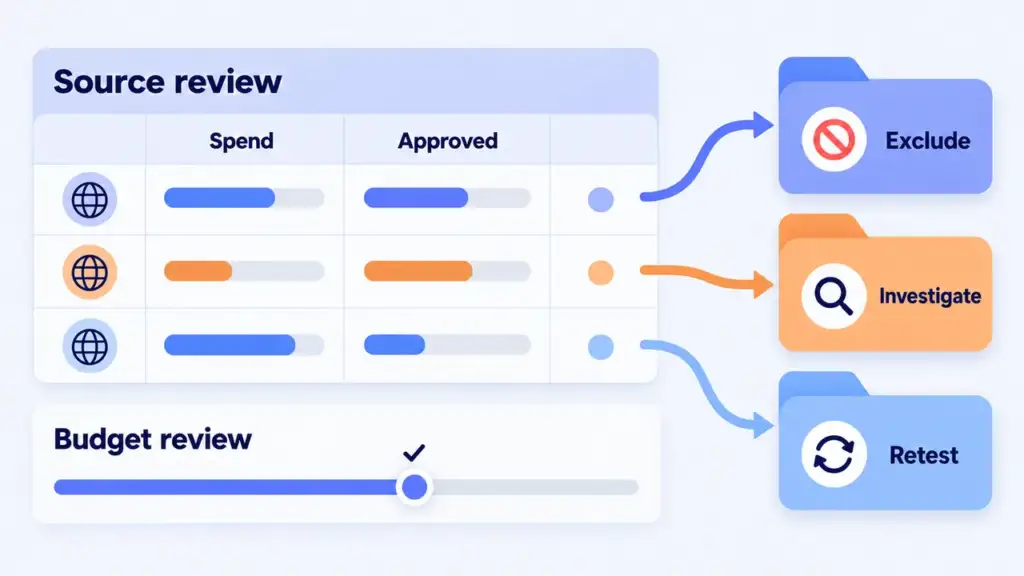
Open the report by source or placement ID within each test cell, comparing attributed spend, conversions, approval status and technical errors. Keep country and device visible so a combined total does not hide a weak segment.
Cut losers with a blacklist
A blacklist, or exclusion list, names sources you do not want to buy. Add a source when it meets your written stop rule or when you have verified an incompatibility with the offer, and save the date and reason. Apply it at the right level: do not block a whole publisher when the evidence concerns one placement. Afterwards, verify that the source stops receiving spend.
Retest promising sources with a whitelist
A whitelist, or inclusion list, limits buying to selected sources. Build it from segments with traceable results under your test conditions, and tie it to the offer, audience and period that produced the evidence. Run the group as a distinct test where the platform supports it, and watch for changes in source mix or delivery rather than assuming the list will keep producing the same outcome.
Match the landing page to the offer
Open the final destination on the device you plan to target and follow every redirect. Put the product, relevant terms and next action where the visitor can find them. Find out whether the platform needs separate creative assets or reviews the destination itself.
Use browser performance tools to inspect loading, responsiveness and layout stability, the dimensions of page experience that Google’s Web Vitals documentation describes. Remove unnecessary redirects, oversized assets and scripts that interfere with the next action, then test the full journey, including the form and confirmation screen. A fast first screen does not prove the rest of the path works.
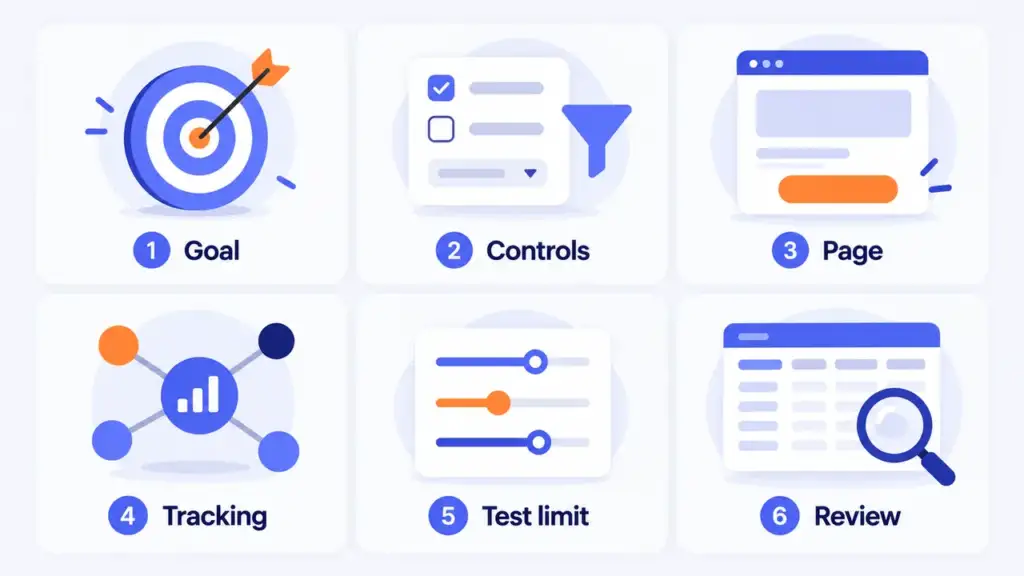
A seven-step launch checklist
- Offer permissions. Save the allowed traffic types, countries, devices and the conversion definition, and compare the destination with network rules.
- Buying controls. Test source visibility, exclusions, targeting, frequency settings and spending limits against a sample report.
- Destination. Review language, availability, disclosures, redirects and speed on target devices, and save the approved version.
- Tracking path. Match macros to your tracker, run an authorized test conversion and confirm attribution before spending.
- First test. Pick a focused set of cells and a budget you can afford to lose. Write down the review time, stop conditions and approval-delay window.
- Placement review. Compare cost and approved outcomes by source, exclude sources that meet your stop rule and retest promising ones in a separate whitelist.
- One change at a time. Raise budget, bid or audience separately, watch source mix and approved acquisition cost, and reverse the change if the result crosses your limit.
What GTaro Ads offers
GTaro Ads works with advertisers and publishers. Advertisers can deposit from $100 and set their own bid, which gives you a starting point for the funding step above. The format-specific rules and settings for your planned test are the next thing to settle with the platform, before the first deposit.
FAQ
How should I compare popunder ad networks?
Use the same checklist for each provider: source reports, billing definitions, macro documentation, spending controls and landing page rules. Record missing answers before deciding where to test.
Does a popunder opening mean someone viewed the offer?
No. Review how the platform counts paid events, then measure visits and conversions separately, and watch the actual opening behavior on target browsers.
Should I choose the lowest bid or CPM?
Compare the billing definition first, then the cost of your target outcome once tracking works. A quoted rate alone does not tell you which sources or outcomes you will receive.
How much should I spend on the first test?
An amount your business authorizes for learning, divided across a scope small enough to review, with stop rules and room for conversion delays.
When should I build a whitelist?
After you can connect a source to approved outcomes under recorded conditions. Test it separately and keep watching delivery and acquisition cost.