If you thought that by 2026 Apple would finally show mercy to the advertising market and open the doors for classic push notifications, we have some bad news. While Tim Cook continues to fortify his “digital fortress,” affiliates are forced to find smarter backdoors.
Today, we’re breaking down the two primary delivery technologies: Classic Web Push and In-Page Push (IPP). Which one is more effective for mobile traffic in the era of Safari 26 and aggressive iOS updates?

Classic Push: The Dying Legionnaire or Elite Special Forces?
By 2026, classic push notifications (the ones requiring an “Allow” click) have become a “VIP channel” of sorts.
The Technical Reality: They operate via Service Workers. To send a classic push on iOS, the user must first add the website to their Home Screen as a PWA (Progressive Web App). This is a massive friction point.
- The Pros:
- 24/7 Delivery: Messages arrive even if the browser is closed and the phone is in the user’s pocket.
- High Loyalty: If a user subscribes, they are “yours.” Retention rates are significantly higher here.
- The Cons:
- Subscription Decay: Databases “expire” faster than you can monetize them.
- The iOS Blockade: In 2026, Safari defaults to blocking subscription requests unless it detects “significant user interaction.”
- AI Filtering: New iOS features (like “Priority Notifications”) automatically hide promotional pushes in a “Secondary” folder if the AI deems them spam.

In-Page Push: The King of Safari and Master of Disguise
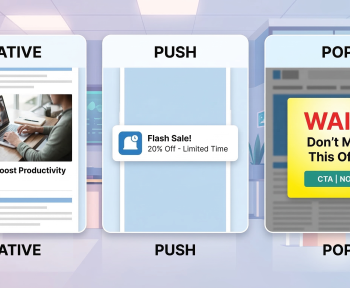
In-Page Push is essentially a banner styled to look like a system notification. It doesn’t ask for permission; it simply appears.
The Technical Reality: It’s a standard JS/CSS element rendered directly on the publisher’s page.
- The Pros:
- 100% iOS Reach: Works on every iPhone without PWAs or complex workarounds.
- Zero Subscriptions: No opt-in required. If they visit the site, they see the ad.
- Update-Proof: Apple can update iOS every month, but they can’t easily ban HTML blocks (yet).
- The Cons:
- Live-Only: The notification only exists as long as the browser tab is open. Once the user leaves the site, the magic is gone.
- Ad Blindness: Due to the saturation of IPP, users have developed a strong “banner blindness” to the format.

The 2026 Technical Showdown
| Feature | Classic Push | In-Page Push |
| iOS Coverage | < 10% (PWA only) | 100% |
| Mechanism | Service Worker (Opt-in) | JS/CSS Overlay (No Opt-in) |
| Lifecycle | Days/Weeks (Until unsubscribe) | Seconds/Minutes (During session) |
| Average CTR | 2.5% — 5% | 0.8% — 2.1% |
| Moderation Difficulty | High | Low |
The Wildcard: Calendar Push
You can’t discuss iOS traffic in 2026 without mentioning Calendar Push. This is when your ad lands directly in the user’s “Calendar” as an event.
- Why it matters: It is currently the only way to legally “pierce” the iPhone lock screen without an app. Conversion rates in Finance and Betting are astronomical here, though the Cost Per Click (CPC) reflects that premium.

The 2026 Verdict: Which One Should You Pick?
If your goal is scale and iOS volume, your choice 90% of the time is In-Page Push. It is the cheapest and fastest way to reach iPhone owners.
If you are building a long-term project (your own content site or service), invest in Classic Push via PWA. It’s harder to set up, but a “subscribed” user in 2026 is worth more than a hundred accidental clicks.
The era of “native deception” is over. Today, the winner is whoever best adapts their In-Page Push design to match the system notifications of the new iOS 19/20, ensuring the user doesn’t realize it’s an ad until they’ve already clicked.
FAQ
What is the difference between In-Page Push and Classic Push?
In-Page Push notifications appear directly within a webpage and engage users without leaving the site, while Classic Push notifications are browser-based messages that can appear even when the user is not on your website.
Which method provides higher click-through rates?
In-Page Push generally shows higher engagement and click-through rates because notifications are visible during active browsing, capturing attention in real-time.
Can Classic Push work on mobile devices?
Yes, Classic Push notifications are supported on both desktop and mobile devices, but they require user permission and may face stricter OS restrictions.
Is In-Page Push compliant with privacy regulations?
Yes, In-Page Push can be configured to comply with GDPR and other privacy laws since users interact with notifications while actively browsing, giving implicit consent.
Which type is better for e-commerce promotions?
In-Page Push is often more effective for time-sensitive offers and product promotions because it engages users directly on the page where the action happens.
Do both notification types support rich media?
Yes, both In-Page Push and Classic Push can include images, GIFs, and call-to-action buttons, but In-Page Push offers more flexibility in layout customization.