Here’s a structured, practical guide on how to move your campaigns from CPC/CPM to CPA without killing your traffic volume.
1. Why Switch to CPA at All?
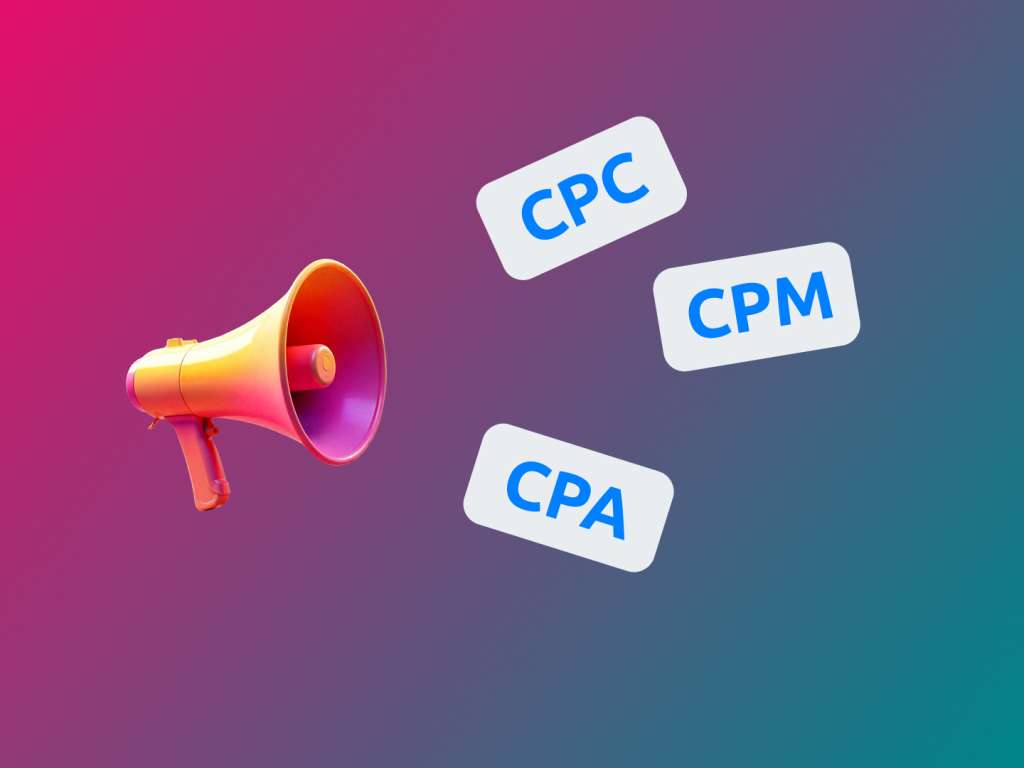
CPC/CPM = you pay for clicks or impressions.
CPA = you pay (or optimize) for a specific action: lead, order, registration, app install, etc.
Pros of CPA:
- Your spend is tied to business results, not just traffic volume.
- Easier unit economics and forecasting.
- Algorithms (Google, Meta, etc.) better understand who exactly they should bring you.
Cons / risks:
- The system needs a sufficient volume of conversions to learn (usually 20–50 per week per campaign/ad set).
- A sudden switch often leads to a drop in impressions and clicks.
- Poor analytics & tracking = the algorithm “learns” on junk conversions and cuts off good traffic.
Goal: switch to CPA so that the algorithm gets a stable stream of clean conversions without losing overall impressions and clicks.
2. Why Volume Often Drops With a Direct Switch
Typical situation: you turn off a CPC campaign, create a new CPA campaign from scratch, set a target CPA (say, $10), and then:
- almost no impressions,
- expensive clicks,
- few conversions,
- after a couple of days everything looks worse than with CPC.
Why this happens:
- No history or signal. The algorithm doesn’t know who converts; the campaign has no learning data.
- Target CPA is too low. You set CPA based on what you wish, not what the data shows. The algorithm simply can’t buy the right traffic at that price.
- Audience is too narrow / restrictions are too strict. Narrow targeting + high minimum signal volume = the algorithm has nowhere to scale.
- Wrong (or unstable) conversion event. You track the wrong event, or it happens rarely (e.g. “Paid order” instead of “Add to cart” with low traffic).
To avoid losing volume, you need to switch gradually and data-driven, not “CPC today, CPA tomorrow and that’s it”.
3. Preparation: Without This, Any CPA Strategy Will Limp
Before switching, make sure these three things are in order:
3.1. Analytics and Conversions Properly Set Up
- A unified system: Google Analytics / GA4, Yandex.Metrica or another analytics tool + pixels/SDKs of ad platforms.
- Clearly defined primary and secondary conversions:
- Primary — your key business action (payment, lead with verified phone, etc.).
- Secondary — higher-funnel events (price page view, add to cart, begin checkout, registration).
- De-duplication of conversions is checked (so one order doesn’t count 3–4 times).
3.2. Sufficient Event Volume
For a stable CPA optimizer you need:
- at least 20–30 conversions per week per campaign/ad group — that’s the bare minimum;
- ideally — 50+ per week.
If you have:
- only 5–10 conversions per week per campaign — it’s better to optimize for a higher-funnel event first (e.g. registration or add-to-cart instead of payment).
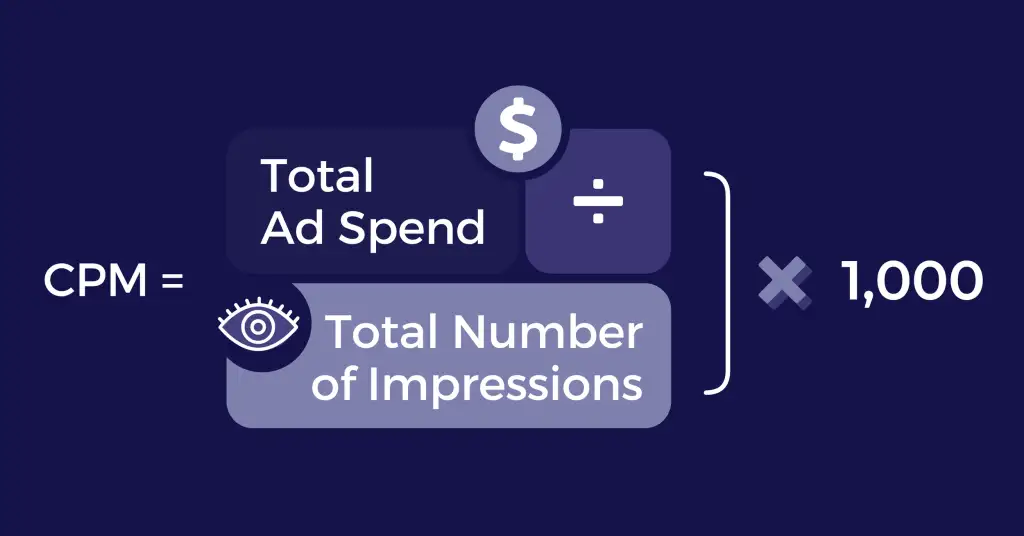
3.3. Understanding Your Current CPC/CPM Numbers
Calculate:
- average CPC/CPM;
- CTR;
- conversion rate to your key action (CR);
- actual CPA right now (conversion cost from CPC campaigns);
- LTV / margin.
Your actual CPA from CPC campaigns is the baseline for your target CPA — not the ideal number you’d like to see.
4. Switch Strategy: Don’t Break, Switch Step by Step
Working logic for the transition:
- Launch CPA campaigns in parallel, keeping your current CPC/CPM campaigns live.
- Train and stabilize your CPA campaigns, gradually increasing budget.
- Slowly reduce budgets on CPC campaigns when CPA performance becomes comparable (or better).
4.1. Build CPA Campaigns on Top of Successful CPC Campaigns
Don’t start from a blank slate.
Do this:
- Take your best-performing CPC/CPM campaigns (by conversions).
- Copy:
- structure: segmentation by geo, devices, placements;
- creatives: ads, banners, videos;
- best audiences.
Create a separate CPA campaign with almost the same settings, but with the objective set to “Conversions” (or the equivalent in your platform).
4.2. Choosing the Right Conversion Event
If you have a high volume of your main action (dozens per day):
- you can optimize directly for the main event (payment, qualified lead, etc.).
If the volume is modest:
- choose a proxy conversion:
- registration;
- add to cart;
- unqualified lead (before qualification);
- key page view (e.g. checkout page).
Important: your proxy event must correlate with revenue.
Traffic that frequently adds to cart is much more likely to purchase.
4.3. Choosing a Starting Target CPA
Take your actual CPA from existing CPC campaigns:
- if current CPA = $12 don’t set target CPA = $6;
- it’s reasonable to start around $12-14, then gradually tighten after the learning phase.
Example:
- Now: CPC = 20 ₽, conversion rate = 2 %, actual CPA = $12.
- Starting target CPA in the new campaign: $12-13.
- Later: if the algorithm delivers conversions for $10-11 over a couple of weeks — lower your target CPA to ~10 and see if volume holds.

5. Step-by-Step Migration Plan
Step 1. Launch a CPA Campaign in Parallel With CPC
- Keep your CPC/CPM campaign with its current budget.
- Launch a CPA campaign:
- same audience/geo;
- similar creatives;
- objective — your chosen conversion event;
- target CPA = your current actual CPA or slightly higher.
Starting budget for the CPA campaign:
- 10–30 % of the main CPC campaign’s budget (depending on your risk tolerance).
Key point: don’t kill CPC immediately while CPA is still untrained.
Step 2. Learning Phase (1–2 Weeks or 50+ Conversions)
During this phase:
- don’t make radical changes (audiences, creatives, geo).
- Track:
- conversions per day/week;
- actual CPA;
- CPC and traffic volume.
Light adjustments are acceptable:
- increase budget if the campaign is “underfed” and performing well;
- if CPA is too high — slightly reduce target CPA (by no more than 10–15 % at a time).
Step 3. Reallocating Budget
When your CPA campaign:
- consistently hits the needed conversion volume;
- delivers an actual CPA close to or better than CPC campaigns;
- has comparable traffic volume at least on the account level;
then:
- Increase the CPA campaign budget by 20–30 %.
- Reduce the CPC campaign budget by the same 20–30 %.
Do this stepwise:
- once every 3–7 days, not daily;
- always watch aggregated metrics across the whole account: total traffic, total conversions, and blended CPA.
Step 4. Gradually Turning Off CPC/CPM Campaigns
When:
- the CPA campaign has shown stable volume and an acceptable CPA for 2–4 weeks;
- creative/audience analysis shows that CPC campaigns no longer provide significant incremental value;
you can:
- move almost the entire budget to CPA;
- keep one or two “warming” CPC/CPM campaigns for top-of-funnel reach (especially for branding and remarketing).
6. How Not to Lose Volume: Technical & Tactical Tips
6.1. Don’t Squeeze Target CPA Too Hard at the Start
- The goal at launch is to train the algorithm, not to fully optimize your margin.
- It’s better to pay slightly more per conversion for 2–3 weeks and get a stable model than to squeeze too hard and sit without traffic.
6.2. Respect Minimum Conversion Volumes
If you see that a campaign:
- gets fewer than 10–15 conversions per week;
- is stuck in “learning” and shows highly volatile CPA;
then:
- broaden the audience (interests, geo, devices);
- optimize for a higher-funnel event;
- increase the budget if your economics allow it.
6.3. Don’t Over-Split Campaigns
Common mistake: 10 tiny campaigns with 5 conversions per week each.
Better:
- have 2–3 larger campaigns with 30–50+ conversions each;
- test hypotheses in ad groups/ad sets, but keep in mind that each group also needs a minimum conversion volume.
6.4. Be Careful With Frequent Edits
Sharp changes to:
- creatives;
- target CPA;
- audiences;
- bid strategies;
often reset the campaign back into the learning phase, and you lose volume again.
Rule of thumb: only one major change at a time, and give it 5–7 days to run (unless the performance is catastrophically bad).
7. Special Cases
7.1. Low Traffic and Long Sales Cycle
If:
- your niche is narrow,
- traffic is low,
- deals are expensive and long-cycle (B2B, complex services),
then:
- use micro-conversions:
- form submissions;
- whitepaper / presentation downloads;
- “request a consultation” forms.
- Build a funnel and optimize at the step where you can get at least 30–50 events per week.
Then:
- analyze which micro-conversions turn into real sales best;
- later, you can retrain campaigns to optimize for a lower-funnel event.
7.2. CPA for Mobile Apps
A common setup:
- optimize for installs (CPI) first;
- later — for in-app events (purchase, registration, level completion, etc.).
To avoid losing volume:
- First, gain scale through CPI campaigns.
- Collect stats on in-app events.
- Switch campaigns to optimize for the key in-app event without abruptly turning off CPI.
- Gradually decrease CPI share and increase the share of in-app event campaigns.
8. Common Mistakes When Switching to CPA
- “I want CPA twice as cheap as now.”
→ target CPA is too low; the campaign doesn’t get delivery. - Wrong or dirty conversion setup.
→ test leads, spam bots, duplicates are counted; the algorithm learns on junk and brings you more of it. - Turning off all CPC overnight.
→ you lose historical traffic and volume; CPA campaigns don’t have time to learn. - Too many small campaigns instead of a few strong ones.
→ none of them reaches sufficient data volume. - Constant tweaking every 1–2 days.
→ the campaign stays in learning forever; performance fluctuates, volume is unstable.
9. Summary: Step-by-Step
- Prepare analytics and conversions.
Make sure you track the right events and know your current actual CPA on CPC/CPM. - Launch CPA campaigns in parallel with existing ones.
Copy proven structure and audiences, don’t test everything at once. - Choose the right conversion event to optimize for.
If you don’t have enough “money” events — use a proxy event that correlates with sales. - Set a realistic target CPA.
Start from the actual CPA (or slightly higher), then tighten slowly. - Let campaigns learn.
Wait for 50+ conversions or 1–2 weeks of stable performance with minimal changes. - Reallocate budget gradually.
Increase CPA budget and reduce CPC/CPM step by step, monitoring overall traffic and conversions. - Don’t over-split traffic and don’t over-edit settings.
Give the algorithm enough data and a stable environment to work with.