Short answer: Malvertising is the use of online ads to spread malware or send people to harmful pages. Ad verification means checking the ad itself: what it shows, what it does and where it leads. A practical routine is simple: scan before launch, monitor while the ad runs, investigate complaints with evidence and pause the creative when a threat is confirmed.
If you run a site, an ad network or a media buying team, the useful question is not “does the banner look fine?” but “what did this ad actually do, and where can I stop it?” This guide answers that.
What is malvertising and why should publishers and networks care?
MITRE describes attackers buying ads to distribute malware, imitate well-known brands and send people to malicious sites. It also describes a nasty trick: traffic from automated reviewers is sent to a harmless page, while visitors who come from real ad clicks land on a harmful one. So an ad that passed a quick review can still hurt your users.
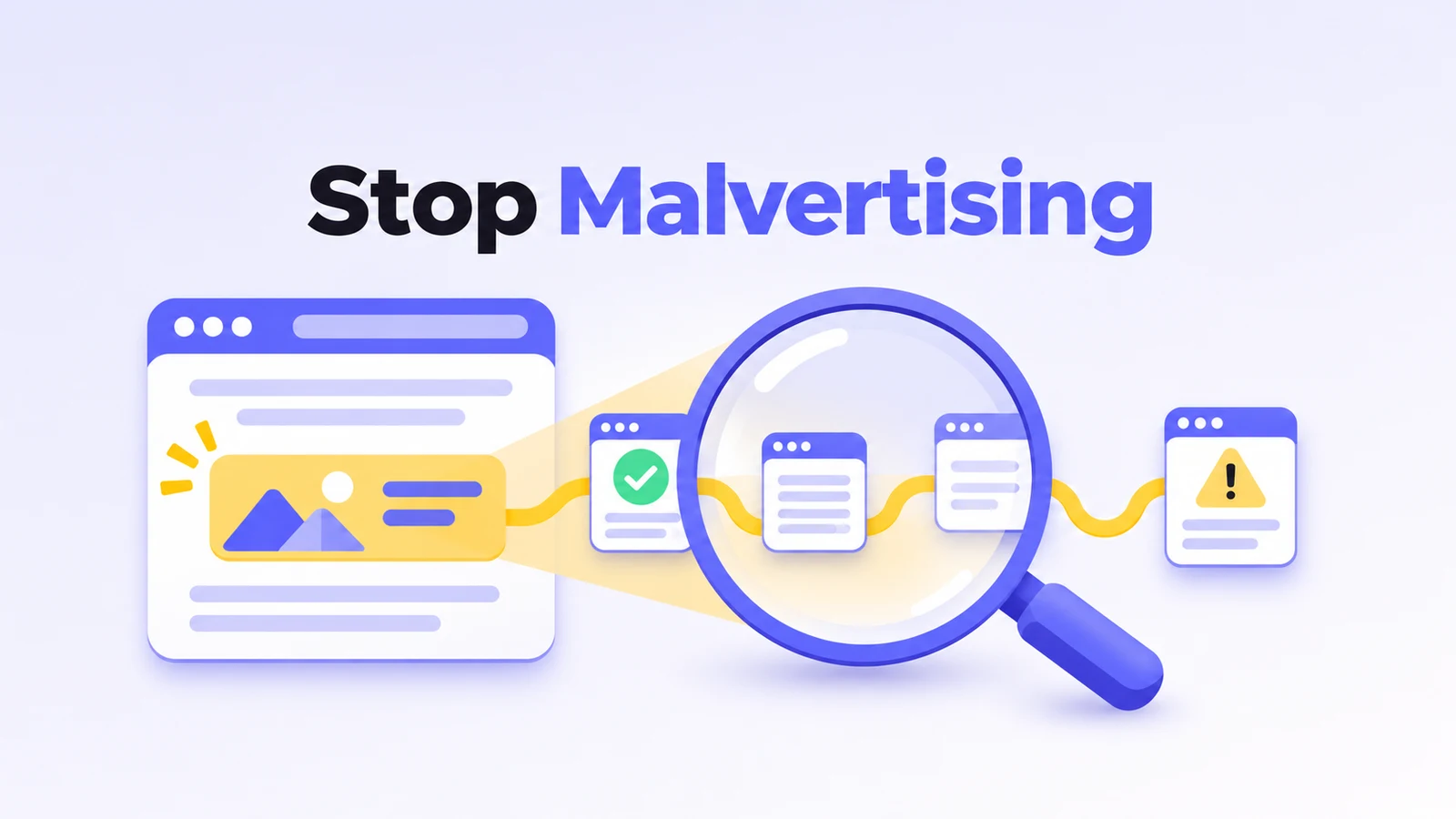
The harm often sits one or two steps after the ad. A journal study on exploit kits describes malicious ads leading through intermediate pages before the final landing page. It also separates ordinary HTTP redirects from navigation started by JavaScript, HTML or iframes. If you only look at the picture and the first URL, you miss the rest of the route.
Not every problem is a security problem. AdSecure separates security violations such as phishing and scareware from experience issues such as forced redirects and script alerts. Do the same in your own rules: a pop-up alert and a page that steals logins need different reactions.
What to do:
– Describe what actually happened (deceptive content, unexpected redirect, suspicious download) before you give the incident a label.
– Find the placement, the creative and the delivery path that produced it.
What is ad verification and how is it different from anti-fraud?
A simple way to remember it: anti-fraud checks the visitor, ad verification checks the ad. Anti-fraud asks whether a click or visit is real (see our guide to ad fraud in push, native and pop traffic and anti-fraud through the eyes of an advertiser). Verification asks whether the ad is safe, honest and allowed by your rules. Vendor products overlap, so treat this as a working shorthand.
The companies’ own pages show the split. Kaminari Click talks about protecting against bots and fraudulent clicks. AdsExplorer talks about scanning ad tags, sites and landing pages. These are different things to inspect.
A basic verification checklist:
– Does the ad match what was approved?
– Does the landing page match the offer and the declared category?
– Does the ad redirect, download or ask for something unexpected?
– Does it break your written policy?
Write the decision next to the evidence. “Unexpected download after the second redirect” helps your team act. “Bad ad” does not.
How do ad scanners work?
Think of a scanner as a careful test visitor with a notebook. It opens the ad tag or landing page, watches what loads, follows every redirect and writes down what happens. AdsExplorer says its crawler scans ad tags, sites and landing pages, and its FAQ says each scan runs from a chosen geo and user agent and the report includes all redirect paths and screenshots.
A good scan routine looks like this:
1. Start at the real entry point. Use the actual ad tag or the page where the ad shows up, and keep the submitted URL with the report.
2. Follow the whole journey. Record where the suspicious action appears.
3. Match the visitor. Test the countries, devices and browsers your campaign really targets.
4. Repeat. Scan again while the campaign runs, because destinations change.
5. Read the evidence before you block anything.
Why test several environments? The exploit-kit study notes that some attacks target only specific countries, operating systems or browsers, or try to infect a visitor only once. That makes them hard to reproduce from a single visit. It is a short remark about one attack type, not a measurement of today’s campaigns, but the lesson is practical: test the conditions that matter to you.
Finding a problem and stopping it are separate steps. AdSecure, for example, describes pre-flight checks, active monitoring and real-time checks on the client side before ads render.
What to do:
– When you test a vendor, ask to see the redirect chain, the event that triggered the alert and the geo and device used.
– Ask who gets the alert and who can pause the ad.
Why is VirusTotal not enough for checking ads?
VirusTotal collects verdicts from many security engines for a URL or domain you submit. It is a good tool for investigations. But two things limit it for ad checks. First, “undetected” means an engine has no opinion, not that the site is harmless (see the URL documentation). Second, a harmful step can sit further along the redirect chain and appear only for a certain country or device.
Here is a typical journey:
Clean starting domain -> redirect service -> phishing page.
A clean result for the first domain tells you little about the last step. What matters is which route was seen, in which environment and when. An ad scanner follows the route the way a real visitor would, from the right geo and device. AdSecure says its active monitoring crawler looks for threats inside redirects and shows in which part of the ad chain a detection happened. These are vendor descriptions, so test them on your own cases.
Research points the same way. A pre-study on ad-malware detection found that the internet services it examined gave divergent verdicts on the same domains. It does not rank commercial scanners, but it is a good reason not to trust one reputation result alone.
What to do:
– Keep the full URL, the scan date and the observed route together.
– Check the last destination as well as the first domain.
Which ad verification services should you compare?
The descriptions below come from the vendors’ own websites. We have not tested these services ourselves, apart from using one of them (see the Kaminari line), and the table does not rank them.
| Service | What the vendor describes | What to ask in a demo |
|---|---|---|
| AdsExplorer | Crawling of ad tags, sites and landing pages; instant alerts and detailed reports | Can the report reproduce the affected route? |
| GeoEdge | Ad security and quality controls for publishers and platforms; detection and blocking of harmful ads | Where do checks and blocking sit in our delivery chain? |
| Confiant | Real-time blocking of harmful or low-quality ads; visibility across ads, landing pages and demand paths | Does the evidence name the creative and the source? |
| AdSecure | Pre-flight checks, active monitoring and real-time client-side checks | Which stages are included in our plan? |
| Kaminari | Anti-fraud for incoming traffic (Kaminari Click); a separate product, Kaminari Ad, is listed as ad verification for outgoing creatives | Which product covers which check? |
AdsExplorer offers scans of tags, sites and landing pages for publishers and ad platforms. Its homepage mentions 25+ customizable verticals and more than 20 operational tests, and you can request a free demo. Treat the counts as marketing claims, not proof of detection quality.
GeoEdge says it detects and blocks malicious, disruptive and policy-violating ads for publishers, and checks creatives for platforms. Bring your written policy and a few real incidents to the demo.
Confiant describes real-time blocking of harmful or low-quality ads based on your own standards, and a view that connects ads, landing pages and the demand path to show where an issue started.
AdSecure describes checks before launch, monitoring during delivery and real-time checks on the client side. Its monitoring page says alerts show which part of the ad chain was affected.
Kaminari is a service we use ourselves. Its website splits the offer in two: Kaminari Click protects against unwanted traffic, bots and fraudulent clicks, and Kaminari Ad is listed as ad verification for outgoing creatives.
Whichever you pick, ask every vendor for the same three things: a sample report, an explanation of what it shows and the action available afterwards.
How do you build a basic ad-quality process?
You do not need a big team to start. Five steps are enough.
1. Write the policy first. List what is not allowed: deceptive claims, unexpected downloads, redirects that break placement rules. Separate hard security blocks from content categories that depend on the publisher. Name who owns the policy and who decides unclear cases. A practical example of review rules is in native network moderation.
2. Scan before launch. Keep the creative, the tag, the full destination URL and the targeting with the review. If the creative or landing page changes, scan again. Do not approve an open security finding just because the image looks fine.
3. Monitor live delivery. Source lists help too: see how to use whitelists and blacklists in ad networks. Set a repeat-scan schedule and name the person who reads the alerts. Agree who investigates, who pauses the ad and who checks the fix.
4. Make complaints easy to reproduce. Ask for the page, the time with timezone, the country, device and browser, plus a screenshot. Do not ask the reporter to click the suspicious thing again.
5. Escalate with evidence. When a threat is confirmed, pause the affected creative or route you control. Send the responsible team the creative reference, the observed chain and the triggering behavior. Verify the fix before turning delivery back on, and note why each incident was closed.
What to do:
– Publishers: start with the affected placement and the demand route you control.
– Networks: connect each complaint to the reviewed creative and destination.
– Media buyers: compare what you submitted with what the scanner saw.
What else should you know about malvertising?
Can malvertising affect someone who does not click an ad?
Yes. MITRE describes drive-by compromise through code or exploits inside an ad, sometimes needing little interaction. If the problem appeared while the page loaded, do not limit the investigation to click destinations.
How can publishers detect and stop malvertising?
Combine scans before launch, repeated monitoring, reproducible complaints and one named owner for escalation. Require evidence that ties the event to a creative or a route, then pause the affected delivery and verify the correction.
Does a clean VirusTotal result prove an ad is safe?
No. It shows what the engines said about one URL at one moment. Check the full route, the date and the geo and device, and compare the result with a scan of the actual ad journey.
How do you choose between ad verification companies?
Start from your formats, your publisher policies and how you handle incidents. Ask for a sample report and a demo of the response, and check the coverage on your own cases before you rely on it.
Sources: MITRE ATT&CK T1583.008, VirusTotal overview, VirusTotal URL documentation, exploit-kit redirection study, ad-malware detection pre-study, AdsExplorer, AdsExplorer FAQ, GeoEdge, Confiant, AdSecure, AdSecure active monitoring, Kaminari.