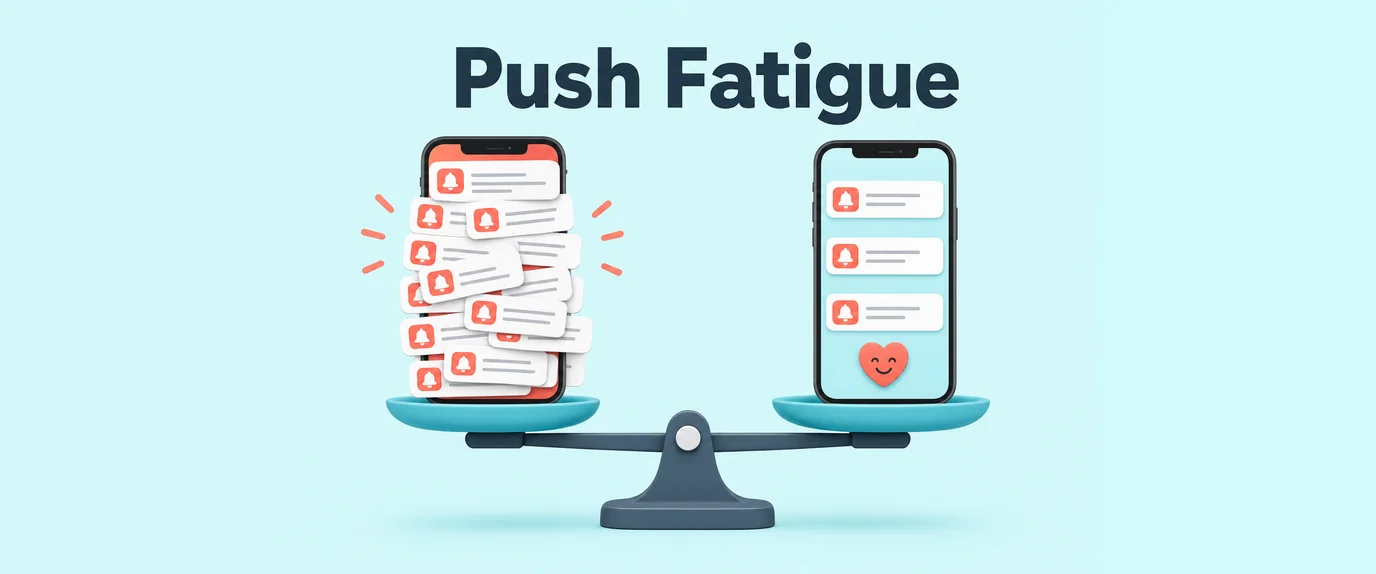
Today, we’re talking about the “thin ice” of mobile marketing: Push Notifications. They are a powerhouse for bringing users back, but in the wrong hands, they turn into a digital sledgehammer that simply knocks your app right off the user’s smartphone.
Let’s break down how to set a Frequency Cap and how to spot the signs of “audience burnout” before it’s too late.
What is a Frequency Cap and why does it matter?
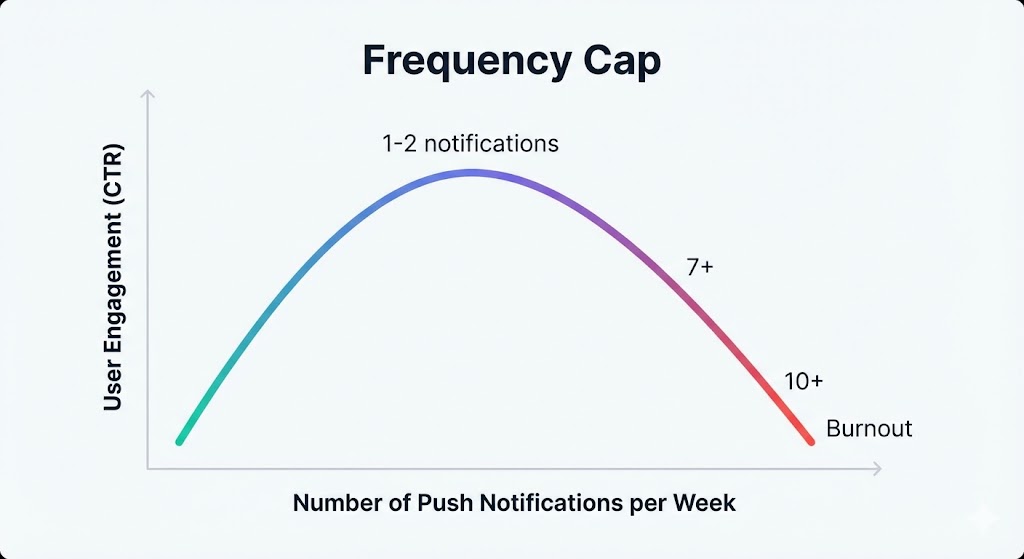
Frequency Cap is a limit on the number of push notifications a single user can receive over a specific period (hour, day, week).
Many marketers think: “The more we remind them, the higher the chance of a purchase.” In reality, the effectiveness curve of push notifications looks like an inverted U. Once you hit the peak, every subsequent push isn’t just useless—it’s harmful.
5 Symptoms of Audience Burnout
Burnout occurs when users stop reacting to notifications or start actively trying to get rid of them. Here is your red-flag checklist:
- Nosediving CTR (Click-Through Rate): You see clickability dropping from one campaign to the next, even though the offers remain the same.
- Rising Opt-out Rate: Users are heading to their settings to toggle notifications off. This is “silent churn”—they are still in the app, but you’ve lost the communication channel.
- Increased Churn Rate: The most severe symptom. This is when the push was the final straw, and the user deleted the app entirely.
- The “Banner Blindness” Effect: The time between receiving a push and opening the app increases. Users swipe the notification away without even reading it.
- Negative Feedback: When reviews on the App Store or Google Play start featuring phrases like: “Stop spamming me.”
Measuring the Damage
Mathematically, you can track burnout through the decline of base metrics.
If this indicator drops by 20-30% within a week while your creative remains unchanged, you are pushing too hard.
What to Change: The “Resuscitation” Strategy
If you notice symptoms of burnout, don’t panic. You just need to recalibrate the rules of the game.
1. Fine-tune the Frequency Cap
There is no “magic number.” It depends on the vertical (news apps can send 5 pushes a day; e-commerce should stick to 1).
- The Baseline: Start with 1–2 pushes per day.
- Smart Intervals: Don’t send notifications back-to-back. Leave at least a 2–3 hour gap.
2. Deep Segmentation
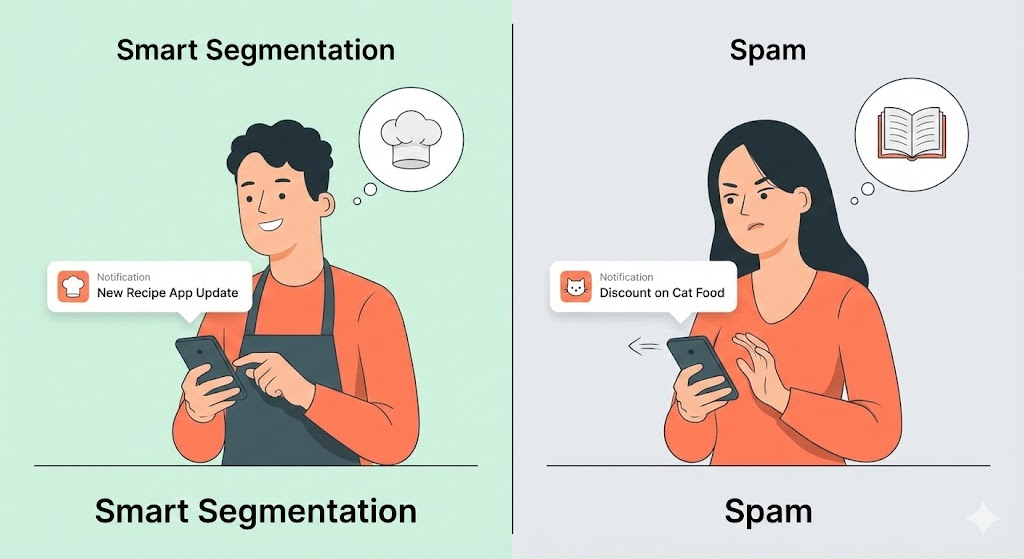
The main cause of burnout is irrelevance. If you send a discount for dog food to a cat owner, they will burn out instantly.
- Segment your base by interests, purchase history, and LTV.
- For “Whales” (high-spending users), make pushes rarer but more exclusive.
3. Send-time Optimization
A push at 3 AM is a one-way ticket to the trash bin.
- Use algorithms that trigger notifications at the specific time that individual user usually opens the app.
4. Refresh Your Creatives
Sometimes it’s not the channel that burns out, but the imagery or text.
- Change your Tone of Voice.
- Use Rich Push (images, videos, buttons) if you’ve been using text-only.
- Add personalization (name, abandoned cart items, location).
5. Message Prioritization
Implement a ranking system. Transactional pushes (order status) should always have priority. Marketing pushes (flash sale on socks) can wait or be skipped entirely if the daily limit has been reached.
Summary
Push notifications are a powerful engagement tool, but their effectiveness depends on balance. Too many pushes overwhelm users and reduce retention, while well-timed, relevant messages can boost loyalty and conversions. The golden rule is simple: quality over quantity. One meaningful notification per week is far more effective than daily spam.
Success requires monitoring, testing, and adjusting frequency based on user behavior. By respecting your audience’s digital space and focusing on value, you turn push notifications from a potential annoyance into a growth driver.
Push Frequency & Retention Guide
| Frequency | Effect | Recommendation |
|---|---|---|
| 1/week | High retention & engagement | Ideal baseline for most users |
| 2–3/week | Moderate engagement | Acceptable if content is highly relevant |
| 4–7/week | Risk of push fatigue | Only if segmented & personalized |
| >7/week | High churn & uninstalls | Avoid; users perceive as spam |
FAQ
What is push fatigue?
Push fatigue occurs when users receive too many notifications, leading to annoyance, app uninstalls, and lower retention rates.
How often should I send push notifications?
One well-timed and relevant push per week is recommended for most users. Adjust frequency based on engagement data.
How can I measure push notification effectiveness?
Track metrics like open rates, click-through rates, retention, and uninstalls to gauge the impact of your pushes.
Does personalization reduce push fatigue?
Yes. Targeting users with relevant content at the right time increases engagement and decreases annoyance.
Can too few notifications harm retention?
Yes. If users rarely receive pushes, they may forget about your app, reducing engagement and long-term retention.