How do publisher payouts work?
Short answer: Publisher payouts use NET15. The withdrawal form shows a $100 minimum and lists Cryptocurrency, Stripe and Wire Transfer. Crypto starts from $100; wire transfers start from $1,000 and are made on request. Contact support to confirm wire or another requested method before submitting.
Where can you see your balance and payment terms?
- Sign in at the cabinet, select "Publisher" with the top-right switch and open "Dashboard". Review "Account balance" and its "Withdraw" link. The dashboard also shows "Pending withdraws", "Total withdrawn", "Withdraws this month" and "Withdraws last month". "Account information" includes "Payment terms NET15".
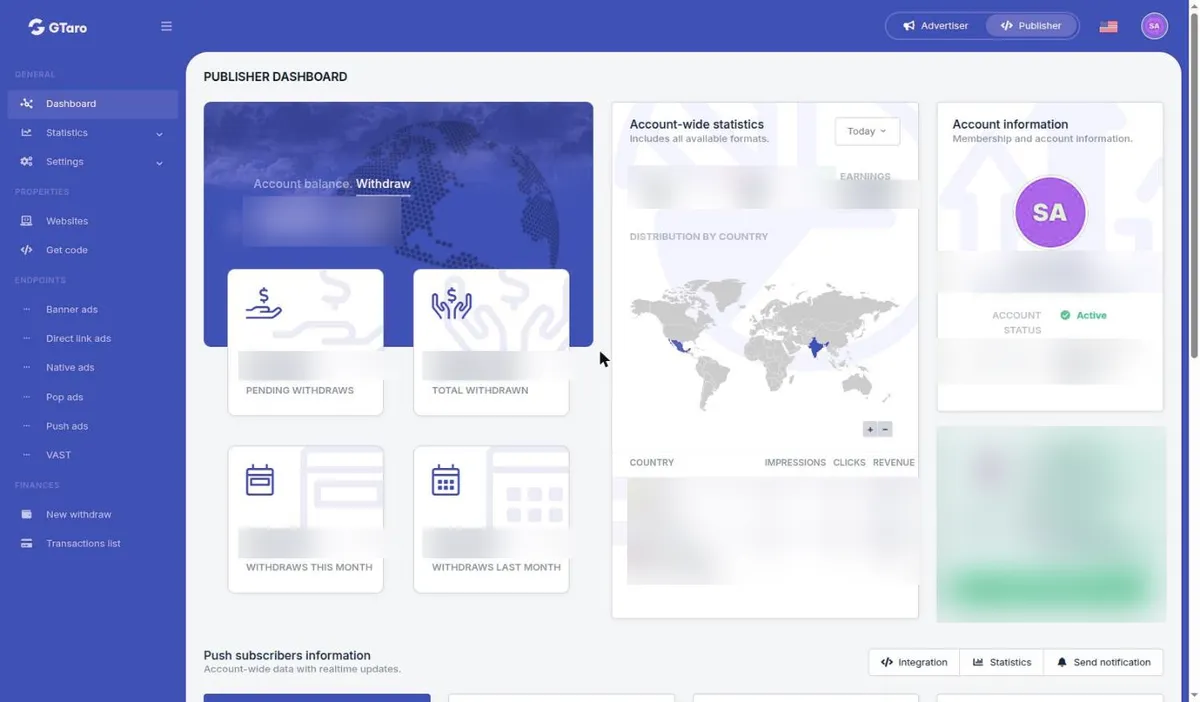
The withdrawal form explains NET15 with this note: "Your payment will be processed within the first two weeks of following month." Under section 6.4 of the Terms, your first payout is made no earlier than 14 days after you start sending traffic. This minimum waiting period does not promise payment on day 14; the schedule, threshold and any review still apply.
How do you submit a withdrawal request?
- Under "FINANCES", open "New withdraw". In "Withdraw request information", review "Available balance" and "Payment terms NET15". Choose "Payment method", enter accurate "Payment details" and fill in "Amount to withdraw". The form lists "Cryptocurrency", "Stripe" and "Wire Transfer", prints "Minimum amount to withdraw: $100 USD", and has a "Submit withdraw request" button.
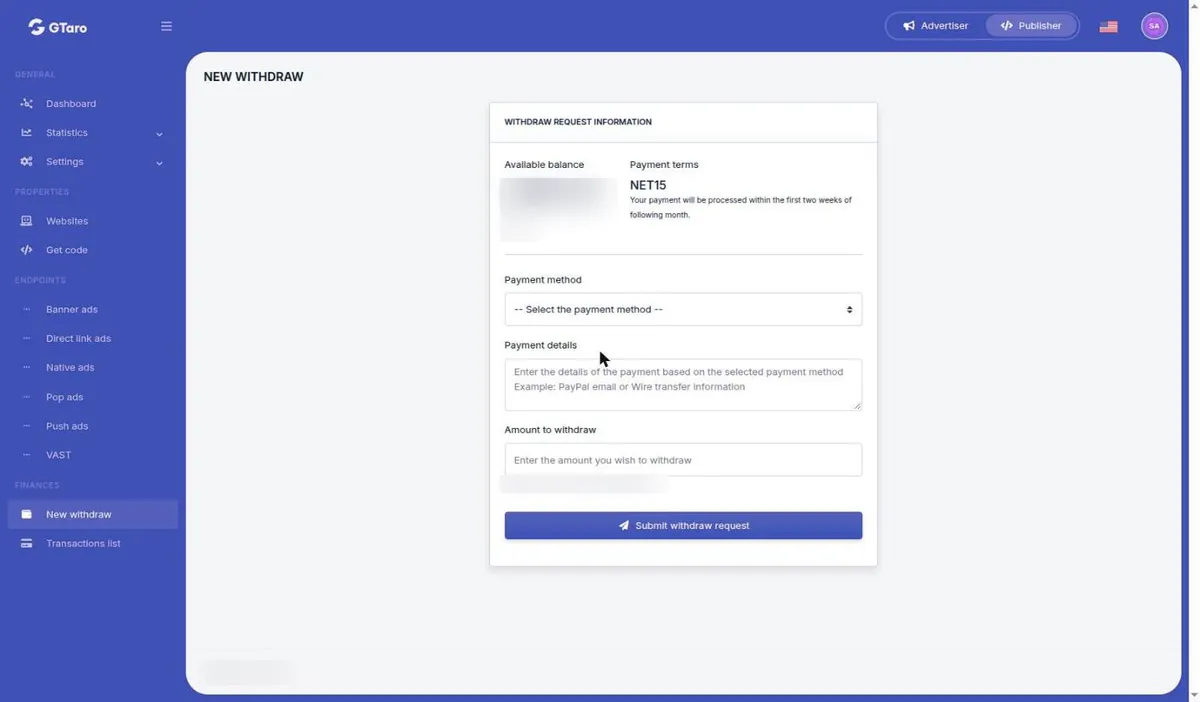
- Confirm the method-specific terms before clicking "Submit withdraw request". Crypto starts from $100, wire transfers start from $1,000 on request, and other methods are available on request. The form's displayed $100 minimum does not establish that wire is available from that amount. Contact support about wire and any unclear Stripe conditions.
Check your payment details carefully. Under Terms section 6.4, a payment sent to the details you provided is considered made. The form includes a generic payment-details hint; rely on the selected method and ask support if its required details are unclear.
How can you review a request and your earnings?
- Open "Transactions list" under "FINANCES". Its table shows "ID", "Request date", "Due date", "Payment method", "Payment details", "Amount" and "Status". Columns can be filtered. Status labels include "Completed" and "Rejected".
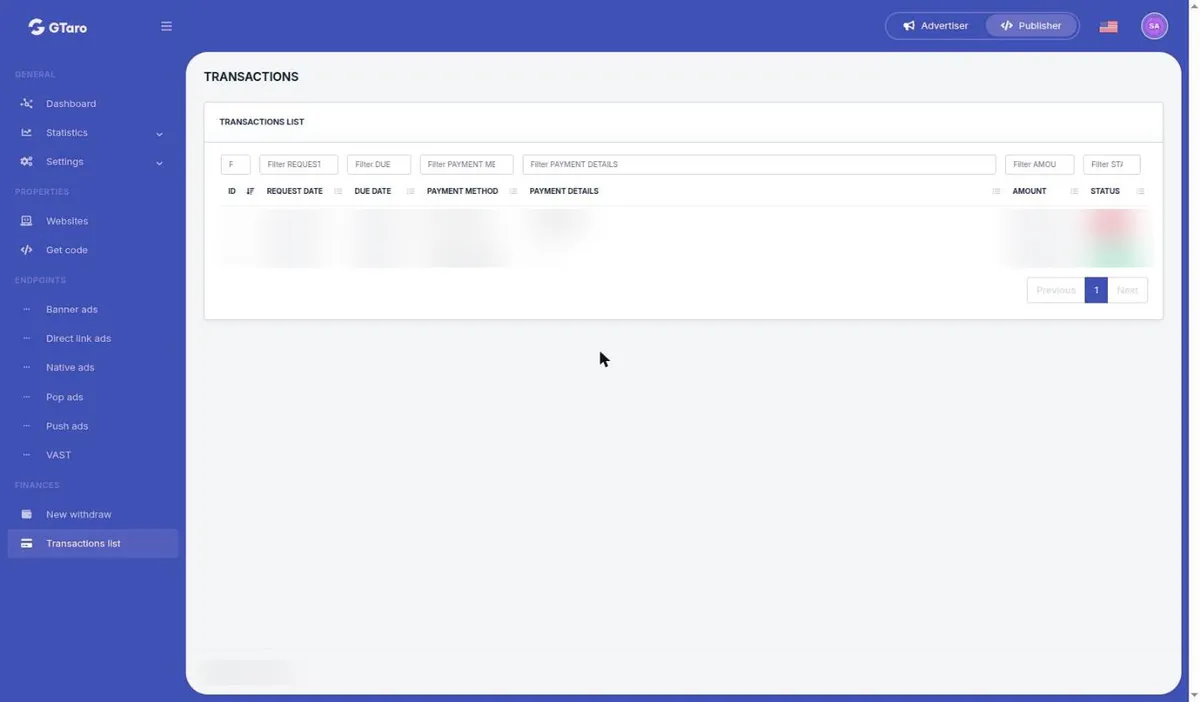
Account statistics are estimates and may be revised for errors, Invalid Traffic or demand-partner deductions. Earnings become final after review under section 6.3. Invalid Traffic earnings are not payable and may be deducted from balances under section 8.2.
What if something goes wrong?
Contact support about a rejected request, incorrect details or an unclear due date. The table does not show the reason for a rejection, so ask support. GTaro Ads may hold payouts while checking traffic quality or your details, or on reasonable suspicion of fraud or a Terms breach, under section 6.5.
Ready to work in the cabinet? Did not find your answer? Contact support:
Please include your account email and the campaign or site ID, never your password.


